18 September 2026 · Comparison
Onepage vs Framer: Lead-Gen Suite or Design Canvas?
The short answer
if you want a website, linktree, or quiz funnel that captures leads into a built-in CRM on EU-hosted servers, without assembling a separate marketing stack.
if you want pixel-level canvas control, motion design, a deeper CMS, and branching/staging, and you already run external CRM and email tools.

The verdict, up front: Pick Onepage if you are an SMB, consultant, or agency that wants a website, linktree, or multi-step funnel feeding a built-in CRM, hosted on servers in Germany, with one invoice covering the builder, the form logic, and the lead database. Pick Framer if you are a design-led startup, creative agency, or marketing team that needs pixel-level canvas control, bespoke motion, a real CMS, and Git-like branching, and you already pay for an external CRM and email tool. The split here is not “AI versus no AI.” Both ship editable AI output now. It is promise-to-lead versus design-first.
Affiliate disclosure: We may earn a commission if you buy either tool through links on this page. Framer runs a published affiliate program. Onepage runs a partner/referral program via Cello. A commission does not change what you pay, and it does not buy a verdict. Both tools get honest downsides below.
One transparency note before the tables: several existing Onepage-vs-Framer pages online list Onepage as a paid featured partner. This comparison is independent and grounded in what each vendor’s live public pages say on the day of writing.
Quick comparison
| Dimension | Onepage | Framer |
|---|---|---|
| What it is | Section-based website, linktree, and funnel builder with a built-in CRM | Freeform design canvas with CMS, analytics, and managed hosting |
| Entry paid plan | €19.90/mo (Essential, monthly) | €10/mo (Basic, yearly billing) |
| Free plan | 1 site, 3 pages, CRM + analytics included, onepage.me subdomain | 500 one-time AI credits, framer.site subdomain, no custom domain |
| Pages on entry paid plan | 7 | 30 |
| Included AI credits | 25/mo on Essential, 75/mo on Expert; the page lists them twice with matching numbers | 1,000/mo Basic, 3,000/mo Pro |
| Built-in CRM | Yes, on every plan including Free | None; form data must route to external tools |
| Multi-step quiz / conditional logic | Forms & Funnels add-on, €39.90-€99.90/mo | No native branching quiz engine |
| Funnels and A/B testing | Funnel drop-off analytics inside the add-on | Convert add-on, €50 per 500,000 events |
| Design control | Section-based, template-constrained, hard to break | Freeform canvas, custom CSS, motion components, variants |
| CMS | Inner pages and templates, not a content-first CMS | Collections + items: 2 / 1,000 on Basic, 10 / 2,500 on Pro |
| Branching / staging | Version history with restore | Branches with previews and a staging environment on Pro |
| Data residency | EU-located servers, Germany core | AWS facilities in the United States |
| Editor seats | 1 included on Essential; 3 max on Advanced; 5 max on Expert | Additional editors €20/mo, content editors €10/mo, viewers free |
| Site export | No complete export; the platform is closed | No native HTML export |
Prices accurate as of September 2026; check each vendor’s site for current rates.
Onepage: the all-in-one lead engine
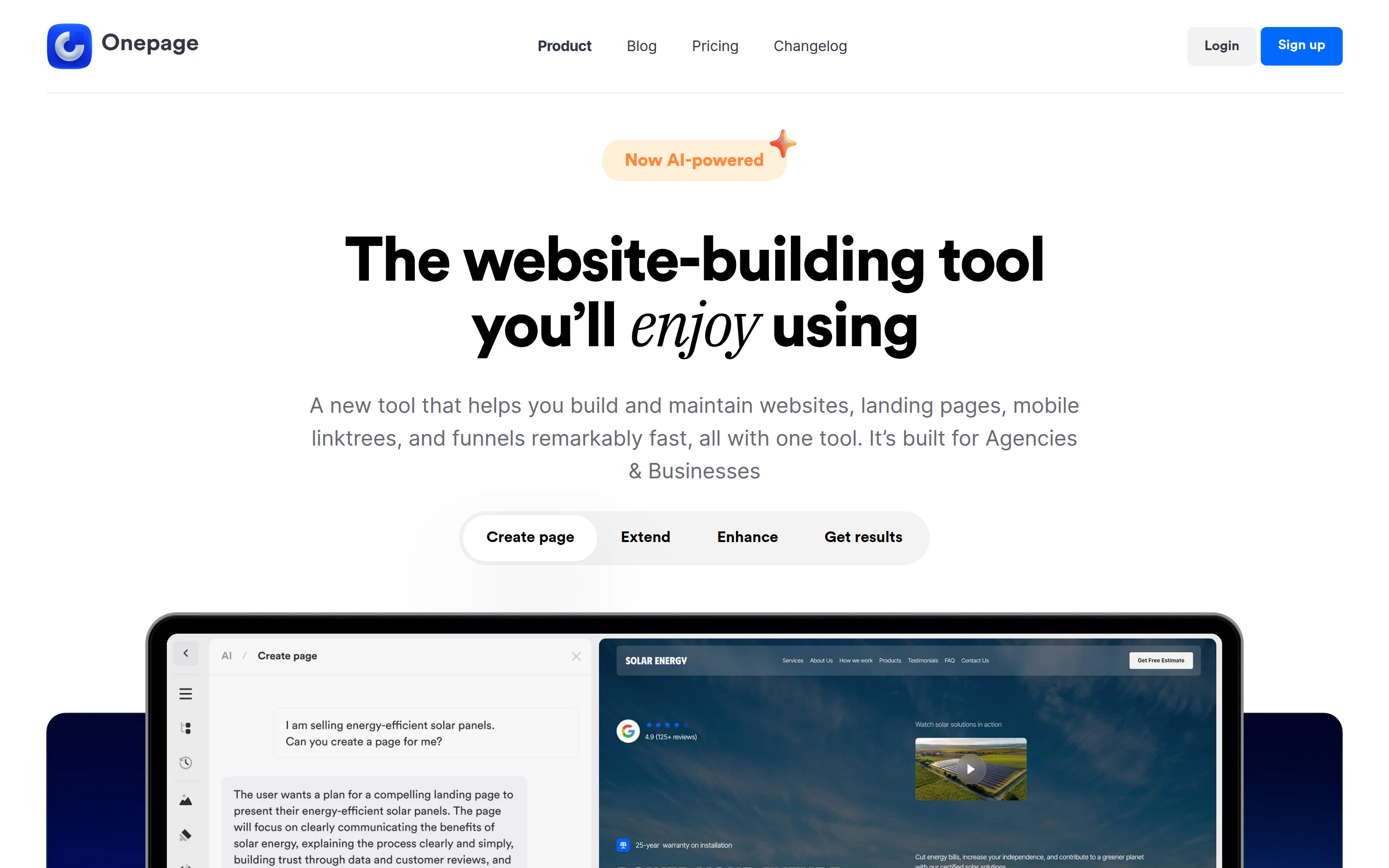
Onepage (onepage.io) is built by Onepage GmbH in Frankfurt am Main, Germany. It sells websites, landing pages, mobile linktrees, and quiz funnels from one section-based editor. The claim on its homepage is speed and reach: build and maintain websites, landing pages, mobile linktrees, and funnels “remarkably fast, all with one tool,” aimed at agencies and businesses. The vendor also says more than 650,000 pages have been built on it and that it is trusted by 14,000+ customers. Those are self-reported numbers, not audited ones.
The part that separates Onepage from a pure design tool is what happens after a visitor submits a form. Every submission lands in Onepage’s own CRM, on every plan, including Free. Leads are grouped by source or project, and the CRM is presented as part of the product rather than an integration you configure. That is the whole pitch in one sentence: the site and the lead database are the same purchase.
On top of that, Onepage offers multi-step forms and quizzes, conditional logic paths, phone and email verification, double opt-in, UTM capture, and funnel drop-off analytics through its Forms & Funnels add-on. There is also a heavier AI layer than the marketing copy suggests: prompt-to-code “Vibe Coding” sections, an Onepage Agent that generates elements and pages, and MCP connectors so you can build into an Onepage project from Claude, Cursor, or Codex.
Onepage pricing
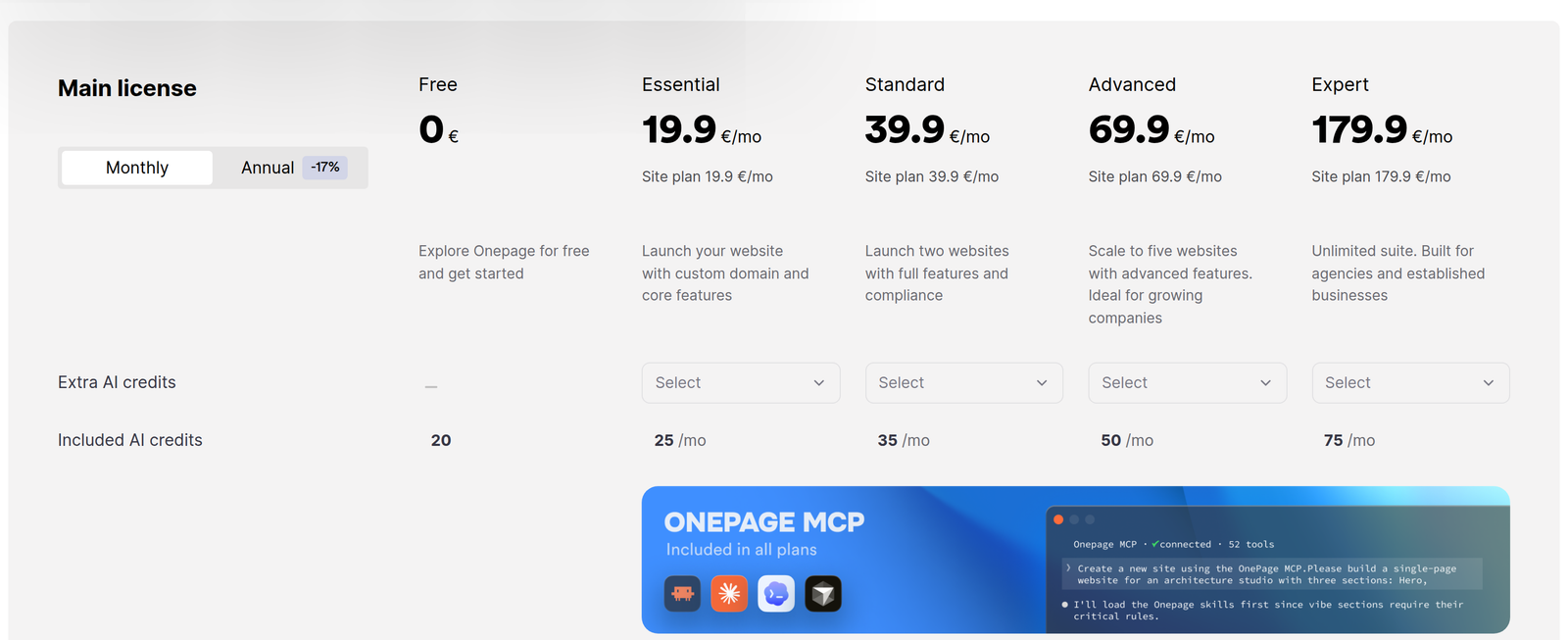
Onepage publishes five main-license tiers, billed monthly, with an annual option that saves 17%. The page renders EUR from where we checked, and other captures show USD, so Onepage localizes currency per visitor:
| Plan | Price/mo | Websites | Pages | AI credits |
|---|---|---|---|---|
| Free | €0 | 1 | 3 | 20 (one-time) |
| Essential | €19.90 | 1 | 7 | 25/mo |
| Standard | €39.90 | 2 | 50 | 35/mo |
| Advanced | €69.90 | 5 | 150 | 50/mo |
| Expert | €179.90 | 20 | Unlimited | 75/mo |
Extra websites cost €8 each per month. Extra AI credits are sold in packs, but the live pricing page does not print the pack price.
Two things are worth flagging honestly in that table. First, “unlimited pages” starts at €179.90/mo; the entry tier caps you at 7 pages. Second, the page lists AI credits twice (once under plan features, once in the AI features group) and both listings carry the same numbers, so there is no live contradiction to square away. What is stingy is the volume - 25 to 75 credits a month - and the fact that extra credit packs are purchasable but the pricing page never prints their price.
And the funnel math: the Forms & Funnels add-on runs €39.90/mo on its Launch tier, on top of the main license. So a working multi-step funnel starts at €19.90 + €39.90, or €59.80/mo. Email automation is tier-gated too: custom sender, custom templates, the autoresponder, and double opt-in sit on Advanced and above.
Framer: the design agent on a freeform canvas
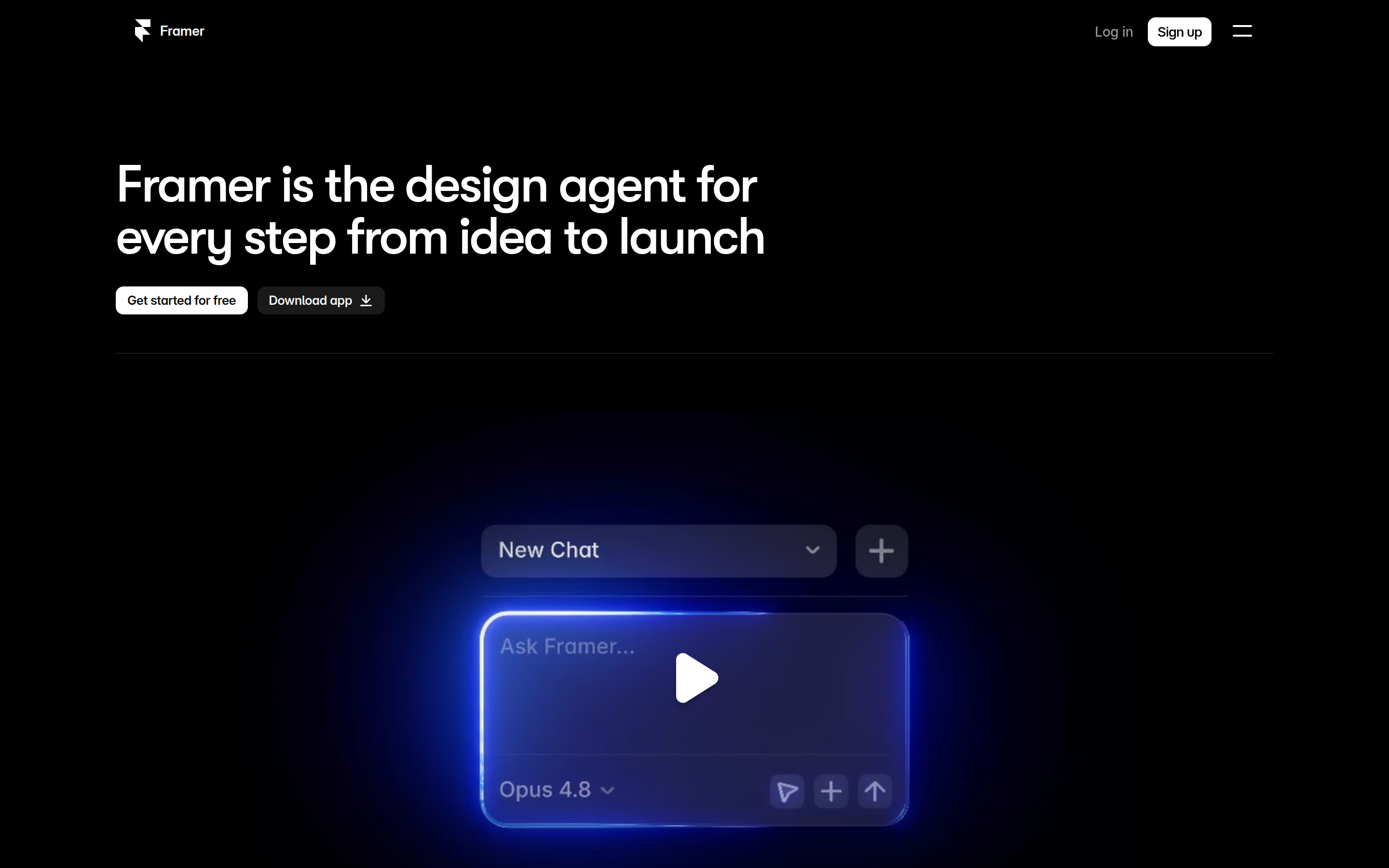
Framer (framer.com) is a company in Amsterdam, and its product is a design canvas that is also the publishing stack. Its homepage leads with one sentence: “Framer is the design agent for every step from idea to launch”. The agents, its marketing stresses, work “alongside you, not instead of you,” with every change “visible, editable, and under your control”.
That editability point matters, because it is where Onepage’s old pitch and Framer’s current one converge. Framer’s agents land edits as native layers on a branch, so AI output is not a locked block you have to live with. The agent can also drive the CMS, write code components, and audit the site for broken links, alt text, and contrast. And Framer connects outward to external agents too: Claude Code, Codex in ChatGPT, Cursor, and a terminal workflow can all act on the project, free during the current preview period.
The platform around the canvas is genuinely deep. Pixel-level layout control, custom CSS, React code components, component variants, and motion built for scroll-linked interactions. Relational CMS collections that publish dynamic pages. Built-in SEO tooling with sitemaps, redirects, and semantic HTML. Branching with previews, a staging environment, and atomic deploys on Pro. If your bottleneck is design quality and iteration speed, this is the stronger tool.
What Framer does not have is the lead layer. Forms exist and can deliver to email or push to HubSpot, Mailchimp, Zapier and other tools, but Framer stores nothing itself. There is no contact database, no pipeline, no lead grouping, no autoresponder. If you need to know who submitted what and follow up from the same product you built the site in, Framer is the wrong shape. And its “Funnels” are analytics, not qualification logic: the Convert add-on tracks visitor flow and drop-off, runs A/B tests, and fires overlays on conditions, but it does not qualify a lead through a branching quiz.
Framer pricing
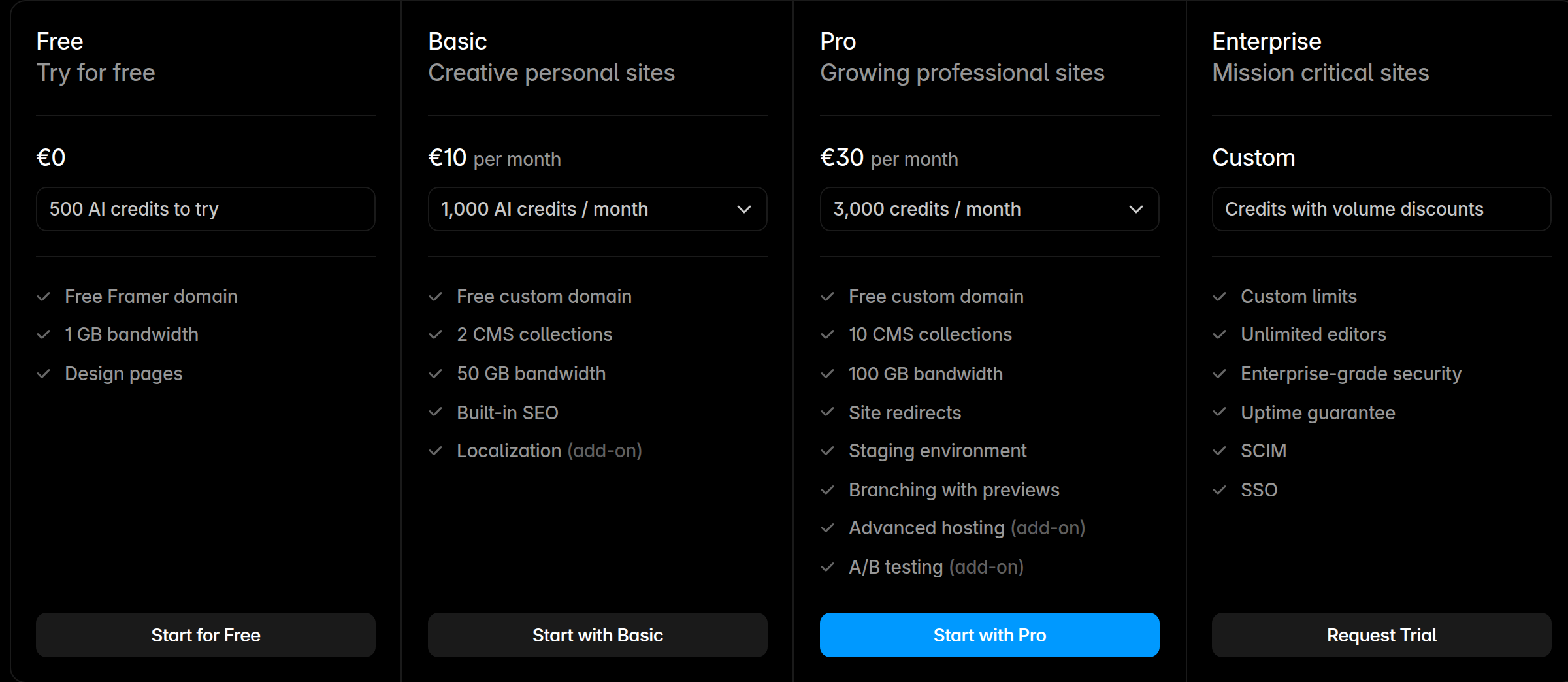
Framer bills per site and per editor. The pricing page defaults to yearly billing and localizes currency: it renders EUR where we checked from Europe, and the same plan numbers show as USD for US visitors. Monthly-billing prices are not printed on the page:
| Plan | Price | Pages | CMS collections / items | Bandwidth | AI credits |
|---|---|---|---|---|---|
| Free | €0 | - | - | 1 GB | 500 (one-time) |
| Basic | €10/mo (yearly) | 30 | 2 / 1,000 | 50 GB | 1,000/mo |
| Pro | €30/mo (yearly) | 150, then €20 per 100 up to 700 | 10 / 2,500 | 100 GB, then €40 per 100 GB | 3,000/mo |
| Enterprise | Custom | Custom | Custom | Custom | Custom |
Additional editors are €20/mo each and content editors €10/mo, with viewers free. Add-ons stack on top: Convert at €50 per 500,000 events, Advanced hosting at €200/mo, and localization at €20 per locale.
That billing model is the honest cost story. Framer’s plans are cheap for one site and one editor, and they multiply. Two Pro sites plus two extra editors runs about €100/mo before any add-on: €30 x 2 for the sites and €20 x 2 for the editors. The equivalent site count on Onepage is a single Advanced license at €69.90/mo.
AI: same promise, different engines
Both vendors now say their AI output stays editable, so “editable AI” is no longer a reason to pick either one. The difference is where the AI runs and what you pay for it.
Onepage’s AI generates prompt-to-code sections and pages that keep the same controls panel as the no-code elements, and its MCP connectors let you build from external agents such as Claude, Cursor, or Codex. What you get from Onepage itself is modest in volume: 25 to 75 credits a month depending on tier, with extra packs purchasable but unpriced on the page.
Framer embeds the agent in the canvas, lets you choose the model per task, and gives you an order of magnitude more included credits: 1,000/mo on Basic and 3,000/mo on Pro, shared workspace-wide. Its external-agent bridge is free while in preview.
If AI-assisted production volume is your criterion, Framer’s allowance is far larger. If the point is to keep AI output editable inside a lead-gen builder, Onepage delivers that too, and its MCP connectors let you drive the build from whatever external agent setup you already run.
Where Onepage loses
- The design ceiling is real. The section-based editor prevents layout breakage, but it also caps typographic and spatial freedom. Framer’s freeform canvas, custom CSS, and motion components simply do more, and design-led buyers will feel that within an hour.
- Funnels are not in the license at any tier. Multi-step quizzes and conditional branching require the Forms & Funnels add-on at €39.90-€99.90/mo on top of your plan, so the true funnel entry price is €59.80/mo.
- AI credits are stingy. 25 to 75 credits a month against Framer’s 1,000 to 3,000 on Basic and Pro. Extra packs exist but the pricing page does not print their price, so you cannot cost the upgrade without asking.
- Page ceilings. 7 pages on Essential, 50 on Standard, and “unlimited” only at €179.90/mo.
- It is a closed platform. There is no complete site export, so client work stays inside Onepage accounts and “website transfer” moves a project between Onepage accounts rather than off the platform.
- Email automation is gated high. The autoresponder, custom sender, and double opt-in require Advanced at €69.90/mo, not the entry tier.
Where Framer loses
- No lead management at all. No CRM, no contact database, no pipeline, no autoresponder. Forms push data out to email or to HubSpot, Mailchimp, Zapier and friends, which you pay for separately.
- No conditional funnels. Convert is analytics, A/B testing, and triggers, not a branching lead-qualification engine. Multi-step forms are marketplace components, not native.
- Per-site and per-seat billing stacks fast. Additional editors are €20/mo, content editors €10/mo, and each new site is another plan.
- US data hosting. Framer is a Dutch company with ISO 27001 and SOC 2 Type II certifications, but it states plainly that all services are hosted in AWS facilities in the United States. For an EU buyer with a data-residency mandate, that is a material difference from Onepage’s German core servers.
- Steeper learning curve. A freeform canvas means more decisions per page. Template-based builders get you live faster.
- Bandwidth and event meters. 50 GB on Basic, overage allowed for one month before you must upgrade, and Convert bills per 500,000 events.
Bottom line
Buy Onepage if the site’s job is to generate and hold leads and you want that in one place, especially if EU data residency matters: €19.90/mo for the entry tier, €59.80/mo once you add real funnel logic. Buy Framer if the site’s job is to look and move better than the competition and you already have a CRM, email tool, and someone who can design on a canvas: €10-30/mo per site before seats and add-ons.
Who each pick is wrong for. Onepage is wrong for you if you are design-led, need motion-heavy marketing pages, run a large blog, or expect full site portability. Framer is wrong for you if you need a database of leads, branching quiz funnels, or an autoresponder without bolting on and paying for a second stack. And if you are a small agency: count your sites and editors first. Onepage’s per-license tiers versus Framer’s per-site plus per-seat billing is the line where the cheaper tool flips.
Prices accurate as of September 2026; check each vendor’s site for current rates.
Keep reading
- Framer vs Webflow for the freeform-canvas-versus-structured-CMS decision.
- Framer vs WordPress if you want the managed alternative to a WordPress maintenance load.
- Moving from Framer to Webflow for what actually transfers and what must be rebuilt.
- Instapage vs Unbounce if you are comparing dedicated landing-page builders instead.
- Systeme.io vs ClickFunnels for the all-in-one funnel-plus-CRM category Onepage competes in.