3 July 2026 · Comparison
Framer vs Webflow: Which Wins in 2026?
The short answer
if you're a design-led marketing team who needs a polished site live this week and wants to keep editing it quickly.
if you need more structure: a deeper CMS, clean code output, web-app hosting and enterprise controls like SSO and audit logs.
Affiliate disclosure: SaaSpicious earns a commission if you sign up for Framer through links on this page. We tested both tools on their live public sites before writing this - pricing and features were checked on 2026-07-03 and may have changed since.
The verdict, up front: Pick Framer if you’re a design-led marketing team that needs to ship a polished marketing site this week and iterate it with AI agents that edit the live page. Pick Webflow if you’re a developer-led or compliance-heavy team that needs semantic HTML/CSS output, a deeper CMS, web-app hosting, and enterprise governance (SSO, SCIM, page branching, audit logs). Framer wins first-draft speed and agent-on-canvas; Webflow wins structure, depth, and serious hosting.
The worst reason to choose either is “it’s more AI.” Both now lead with an agentic pitch - Framer 3.0 ships Design/CMS/Code agents native to the canvas plus “External Agents” (Claude Code, Cursor, Codex, terminal), while Webflow rebranded itself “the agentic web marketing platform” and leans on in-product Webflow AI plus an MCP server into your IDE. The real split is freeform canvas + agents that act on the published site (Framer) vs structured visual development + an AI layer that pulls from the CMS in your IDE (Webflow).
Quick comparison
| Dimension | Framer | Webflow |
|---|---|---|
| Builder model | Freeform canvas, “what you design is what ships” | Class-based visual development, semantic HTML/CSS/JS output |
| AI agents | Design/CMS/Code agents native to canvas + External Agents (Claude Code, Cursor, Codex, terminal) | Webflow AI (prompt-to-site, sections, copy, CMS items) + MCP server + Cursor/IDE |
| CMS | ”Visual CMS” tied to page design; Pro 10 collections / 2,500 items (add-on to 40/40k) | Mature CMS with per-item/scheduled publishing, RSS, content APIs; Premium 20,000 items / 40 collections |
| Hosting | Managed, fast delivery; 300+ PoPs on Pro | Managed + Webflow Cloud (D1 SQLite, KV, R2) for small web apps alongside the site; 99.99% uptime SLA on Enterprise |
| Web apps | Not a web-app host | Webflow Cloud hosts small web apps - a genuine differentiator |
| Branching/staging | Whole-project branching + staging on Pro (€30/mo) | Page branching on Team (~$2,500/mo, annual contract) |
| Enterprise governance | Roles/permissions, SSO/SCIM, staging | Design approvals, single-page publishing, audit-log API, SSO/SCIM/JIT, custom roles, 99.99% SLA |
| Security certifications | SOC 2 Type II, ISO 27001 | SOC 2 Type II, ISO 27001 (plus ISO 27017/27018) |
| Exit / code export | No native HTML export - Framer’s own help center says so | Native code export on paid Workspace plans (forms, search, ecommerce and memberships stop working once self-hosted) |
| Best for | Design-led teams shipping fast | Structured production / dev-led / compliance-heavy teams |
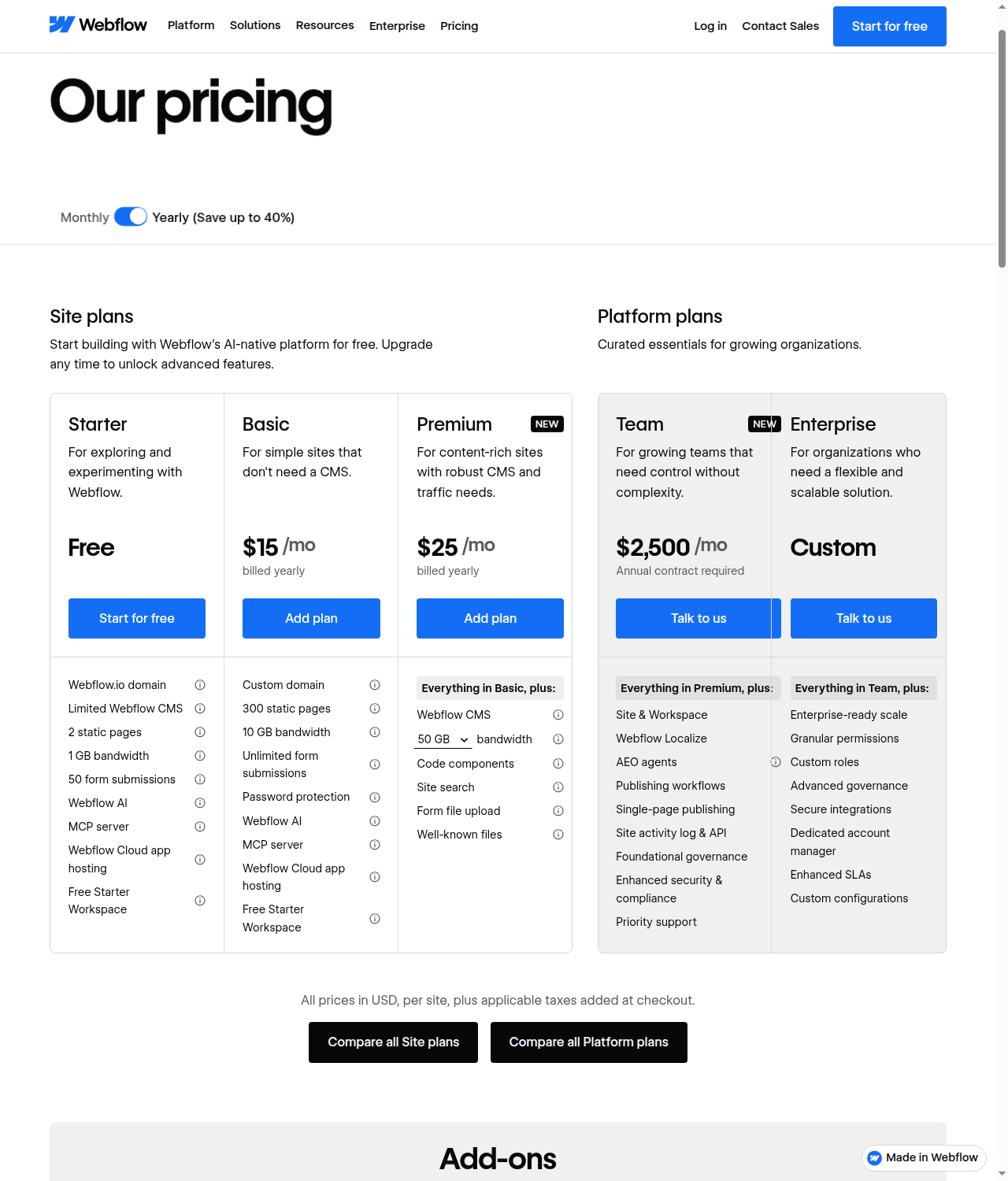
Framer: the freeform canvas with native agents
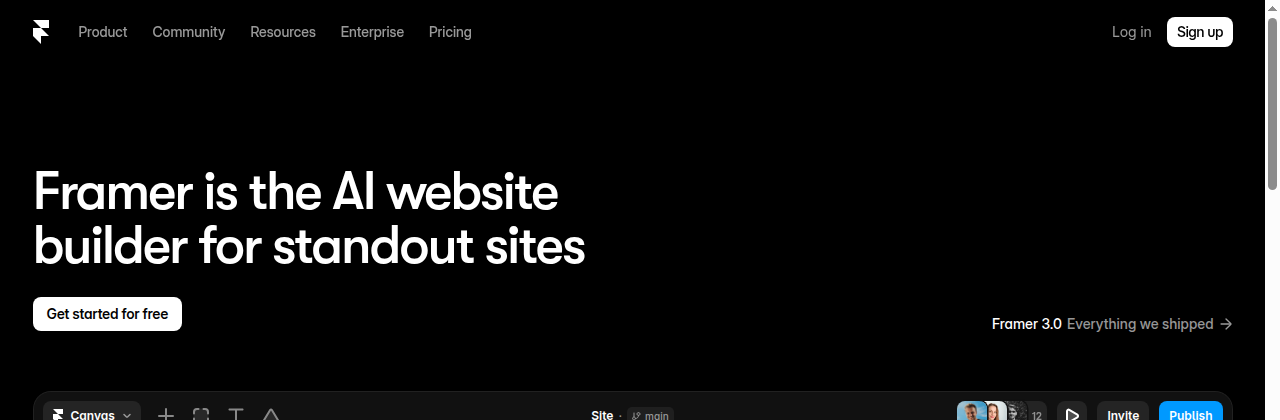
Framer pitches itself as “the AI website builder for standout sites.” It’s a design canvas that is the publishing stack - what you design is what ships, on Framer’s managed hosting. The “Framer 3.0” wave centers on three agents that work directly on the live site, not in a separate draft:
- Design agent - generates and refines layouts, sections, typography, and color in place.
- CMS agent - sets up collections and fields, imports content, and connects it to the canvas so design and content stay in sync.
- Code agent - writes custom code components and interactions (3D carousels, cursor trails, confetti on form submit) and drops them onto the page.
The External Agents story is the part Webflow can’t match in the same direction. Framer exposes the site to outside AI tools - Claude Code, Cursor, Codex, and a terminal workflow - so you can update copy from Slack, trigger CMS changes from a terminal, or ship from a GitHub PR. Webflow has the inverse (its MCP server lets AI in your IDE read/modify the Webflow CMS), but the gravity is opposite: Framer pulls external agents into the canvas; Webflow pushes its data out to the IDE.
There’s also an audit/fix agent that scans for broken links, accessibility issues (alt text, contrast, form labels), and style/spacing drift, plus an SEO agent that summarizes traffic and flags things like “bounce rate on the pricing page” and your most-trafficked blog post. A built-in AEO scanner (/aeo) and a free AI-website-builder flow round out the AI search pitch at the project-creation layer.
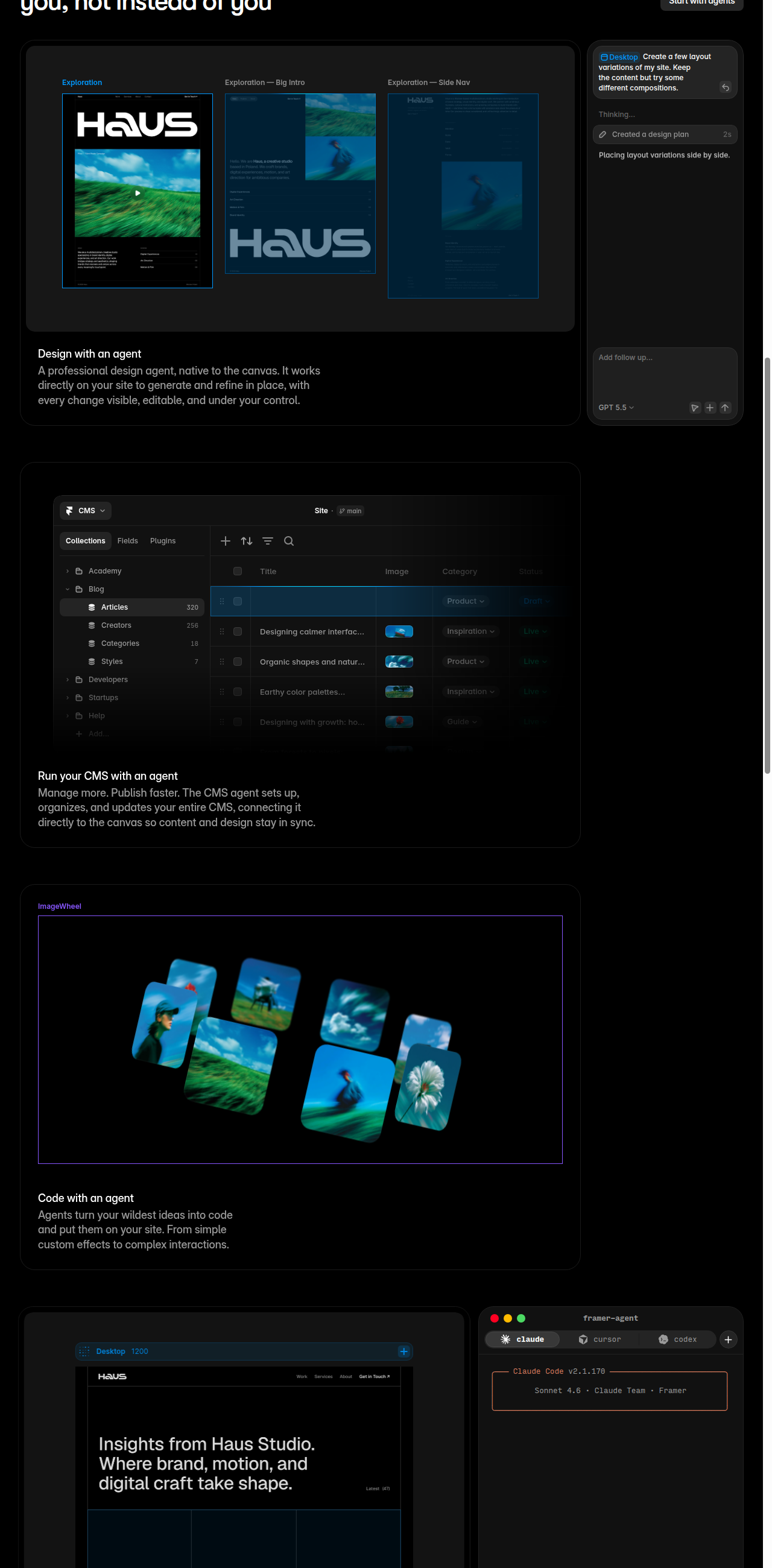
Framer pricing (read live, re-check before you buy)
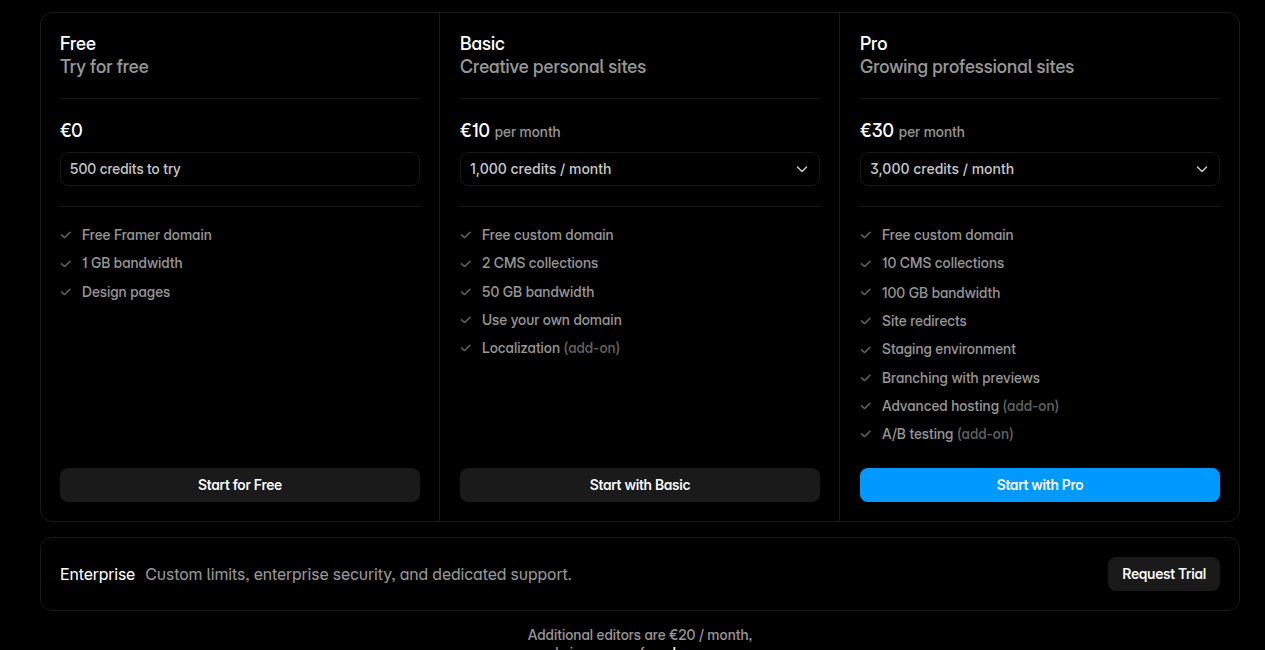
Framer prices on site plans + seats. Additional-editor, content-editor, and viewer seats are billed separately, so a growing team’s cost is easier to forecast than Webflow’s stacked add-ons. Framer’s live pricing page renders in EUR from where we checked it (no USD toggle is exposed) - swap in your local currency at checkout, but the ratios below hold.
| Plan | Price/mo (yearly) | Pages | CMS collections / items | Bandwidth | AI credits |
|---|---|---|---|---|---|
| Free | €0 | 30 | 10 / 1,000 | 1 GB | 500/day (up to 1,000/mo) |
| Basic | €10 | 30 | 2 / 1,000 | 50 GB | 1,000/mo |
| Pro | €30 | 150 (then €20/100, max 700) | 10 (then €40/10, max 40) / 2,500 (then €20/10k, max 40k) | 100 GB (then €40/100GB, max 2 TB) | 3,000/mo |
| Enterprise | Custom | Custom | Custom | Custom | Volume-discounted credits |
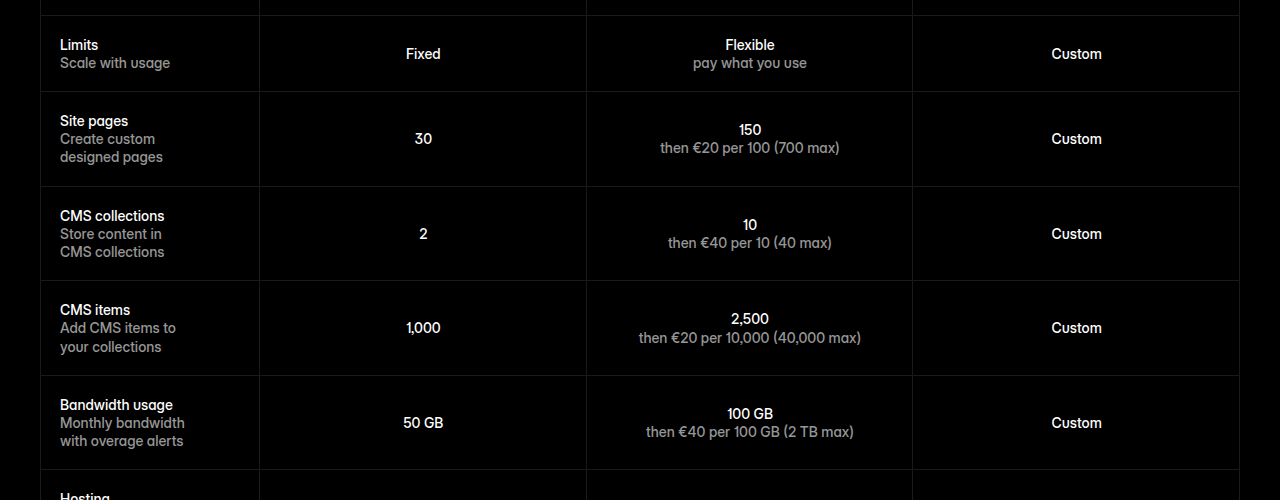
- Free plan credits, exactly: per the pricing page FAQ, “On the free plan, when your workspace has no active subscriptions, you get 500 credits a day, up to 1,000 per month.” Upgrading any site on the workspace unlocks the plan’s full monthly credit pool instead.
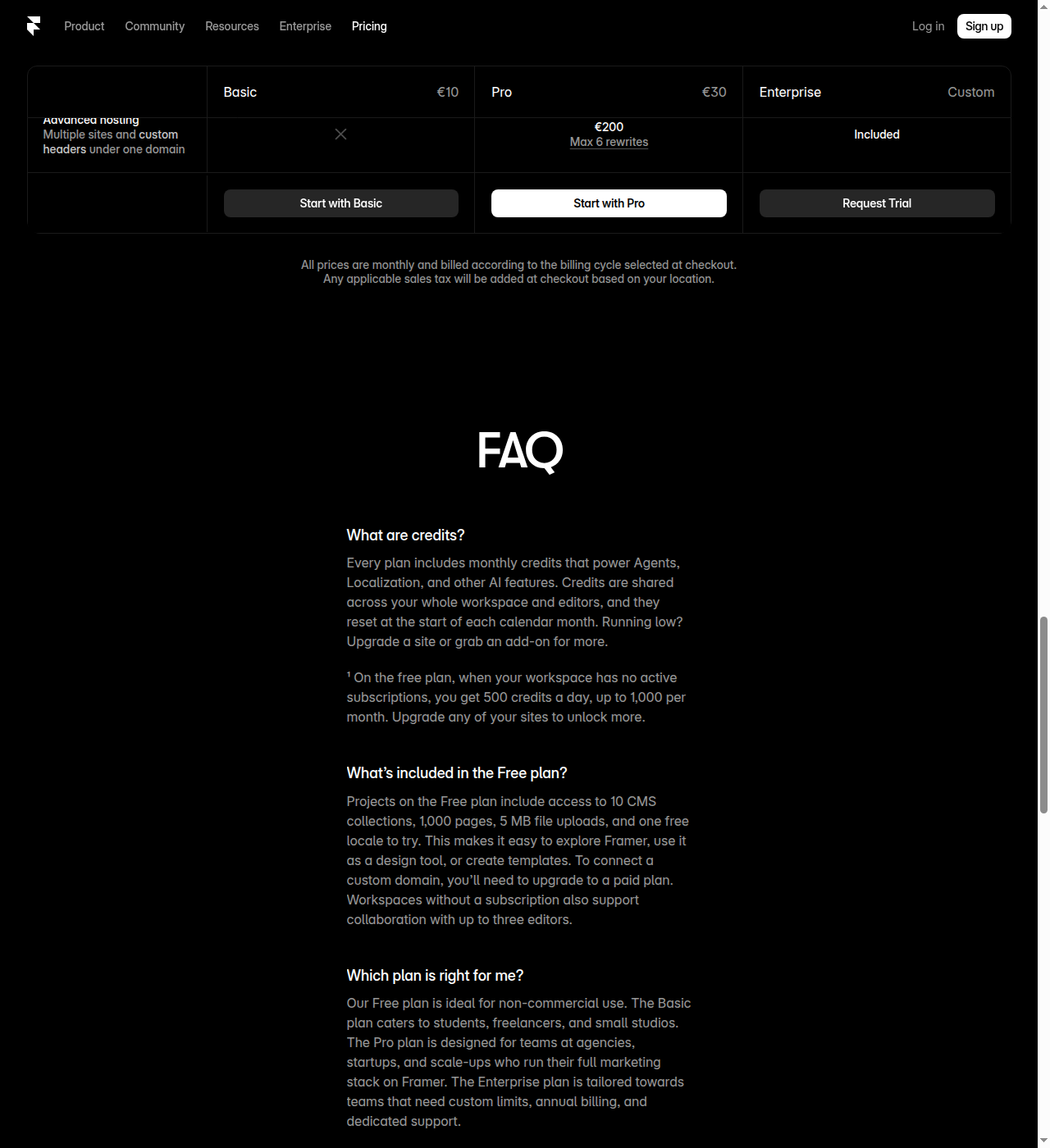
- Seats: workspace owner free; additional editors €20/mo; content editors €10/mo; viewers free.
- Pro add-ons: Localization up to 20 locales @ €20/locale; Convert (A/B testing, funnels, triggers) @ €50 per 500k events; Advanced hosting (multi-site, custom headers, max 6 rewrites) @ €200.
- Free plan reality: non-commercial, no custom domain, up to 10 CMS collections, 1,000 pages, 5 MB file uploads, one free locale, up to 3 editors on unsubscribed workspaces.
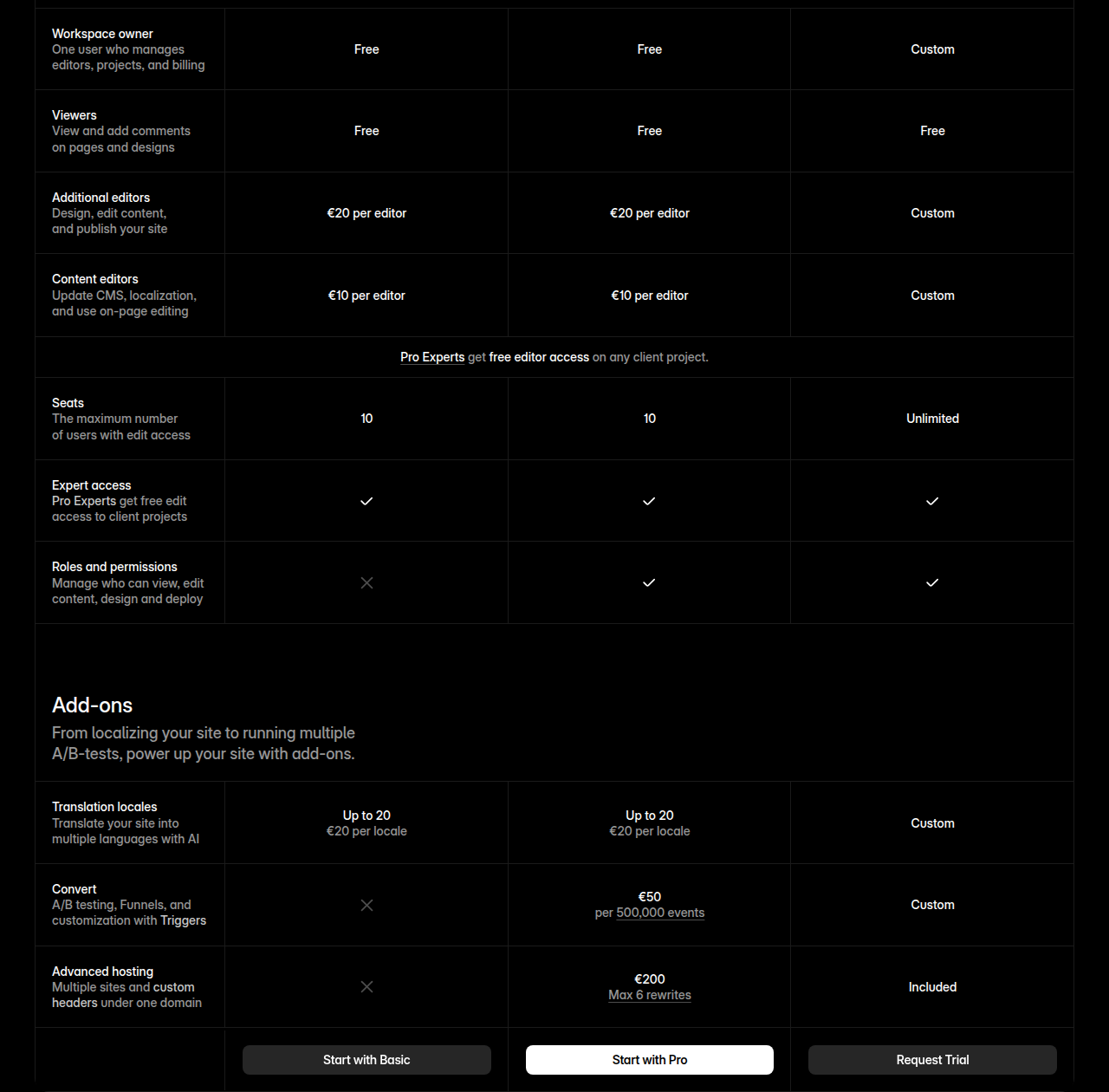
Prices accurate as of July 2026 (EUR, as displayed on framer.com/pricing); check framer.com/pricing for current rates in your currency.
Where Framer loses
Framer’s own comparison page concedes ground, and the concessions are real:
- CMS maturity. Framer markets a “Visual CMS tied to page design.” Webflow’s CMS has per-item publishing, scheduled publishing, RSS, dynamic custom code, and content management/delivery APIs with rate limits that climb from 60 RPM (Starter) to 600 RPM (Team). Framer’s CMS is fine for a marketing site and modest at Pro (10 collections / 2,500 items, scaling to 40/40k with add-ons); Webflow’s is structurally deeper.
- Developer tooling. Framer has code components and External Agents, but Webflow’s APIs go further - content management + delivery APIs, webhooks, devlink/React export, MCP server.
- Hosting scale. Framer has fast managed hosting (300+ PoPs on Pro), but no uptime SLA published, no web-app hosting, and no custom SSL/security headers at the enterprise tier the way Webflow offers.
- Web apps. Framer is not a web-app host. If your marketing site needs to sit next to an internal tool, Framer can’t do that; Webflow Cloud can.
- Governance depth. Framer Enterprise lists SSO/SCIM/uptime, but the deeper controls - design approvals, single-page publishing, audit-log API - tilt to Webflow for regulated teams. Branching itself isn’t one of them, though: Framer Pro (€30/mo, verified on framer.com/pricing, 2026-09-10) ships whole-project branching plus a staging environment, while Webflow’s page-level branching sits on the $2,500/mo Team plan, which requires an annual contract.
- Semantic output. Framer’s freeform canvas is friendlier to marketers but doesn’t hand a dev team clean, class-based HTML/CSS the way Webflow does. For long-term maintenance by a dev team, that matters.
Webflow: structured visual development + an enterprise story
Webflow rebranded to “the agentic web marketing platform for modern businesses.” The semantic split: Webflow maps designer actions to real HTML structure + CSS classes and outputs “clean, semantic code.” That’s the structural moat for teams who care about dev handoff, maintainer onboarding, and SEO-readable markup.
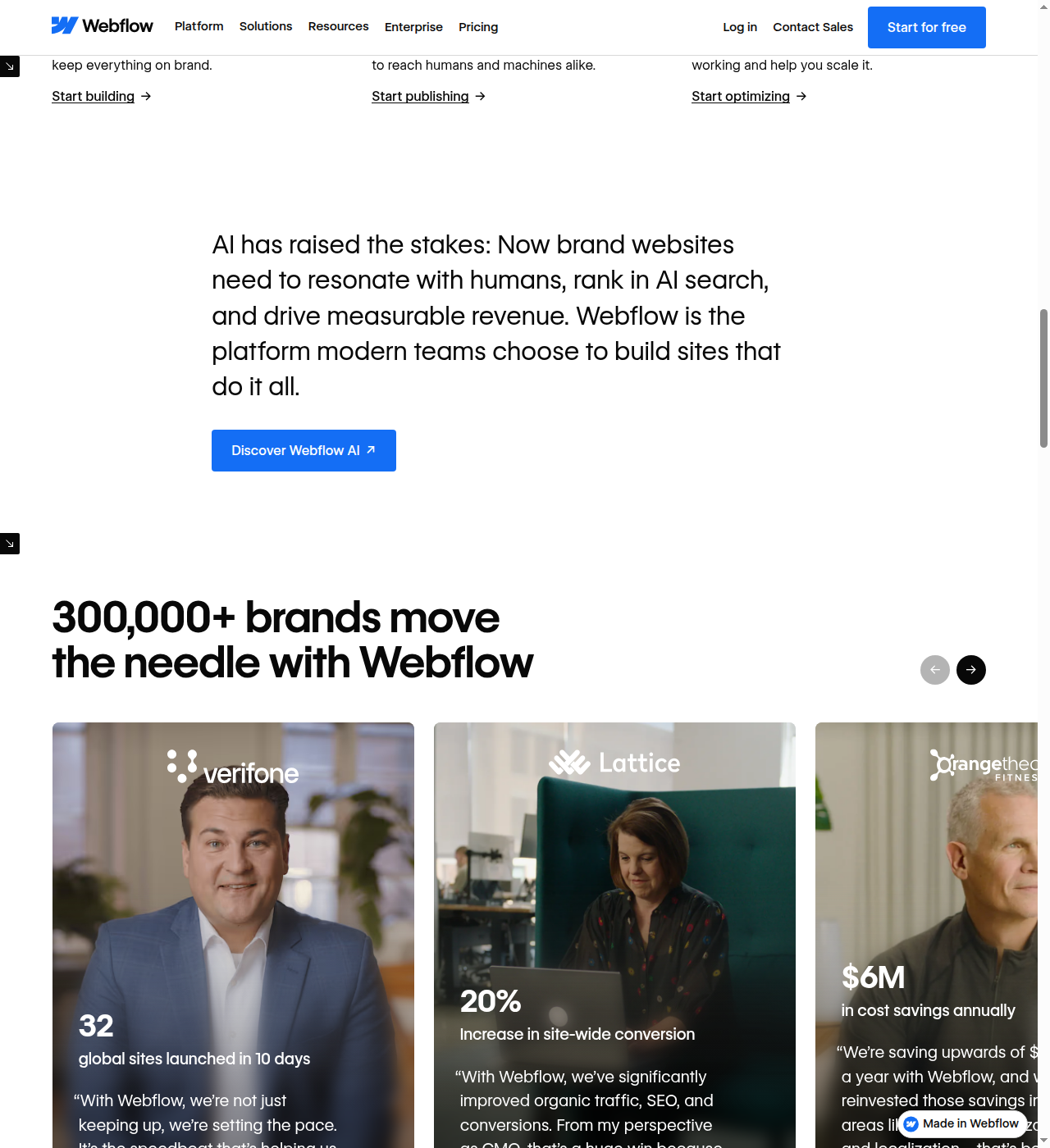
Webflow’s homepage backs the enterprise pitch with scale: “300,000+ brands move the needle with Webflow,” with customer case studies from Verifone, Lattice, and Orangetheory Fitness front and center - vendor-supplied numbers, but a signal of who the platform is built to serve.
Webflow AI (in-product) does prompt-to-site (“Build a site” - turn a prompt into a customized production-ready site), Generate sections/copy/CMS items, and a “Get help” inline assistant that pulls Help Center answers without leaving the workflow. Webflow AEO (“New for Enterprise”) ships technical agents (make the site readable to AI search tools) and content agents (improve visibility in AI search results) plus an AEO recommendations dashboard (included on Team and Enterprise plans). This is Webflow’s answer to Framer’s AEO scanner, but enterprise-gated and framed as a managed program rather than a self-serve button.
The MCP server + Cursor integration is the developer-facing counterpart to Framer’s External Agents: AI in your IDE reads/modify the Webflow CMS and components. Same idea, opposite gravity.
Webflow Cloud is the real differentiator
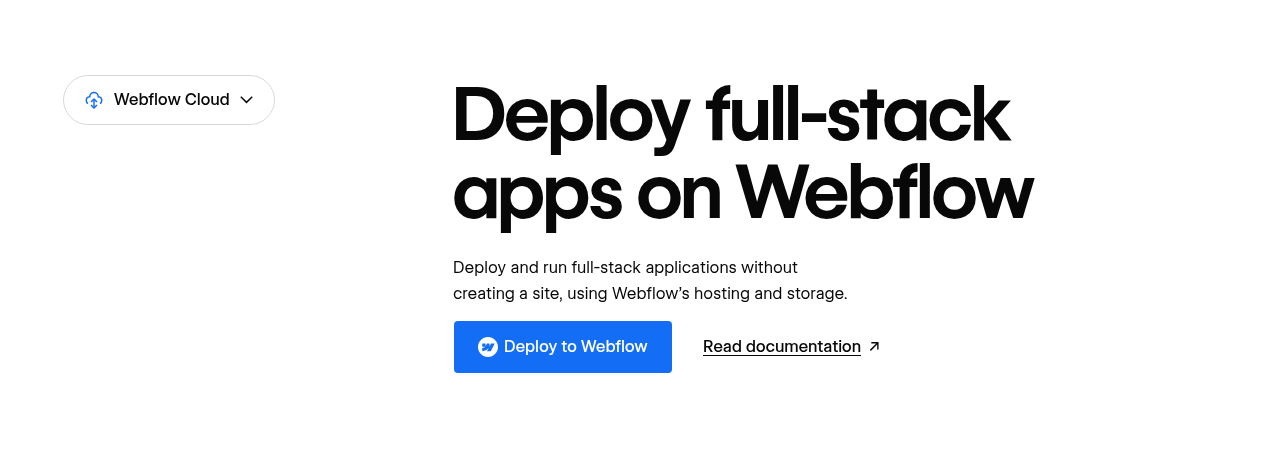
Webflow now hosts web apps alongside the marketing site - SQLite D1, KV, R2 object storage, “Mount to staging / Mount to custom domain.” Site plans include web-app request/CPU/storage quotas. This pushes Webflow toward “build and host small web apps on the same platform as your marketing site” - territory Framer does not occupy. For a team that wants the marketing site to also host an internal tool, that’s a real reason to pick Webflow.
Webflow pricing (read live, re-check before you buy)
Webflow’s pricing compounds: Site plans (per site) plus Platform plans (Team / Enterprise) plus add-ons (Optimize, Analyze, Localize). Costs can stack fast for a marketing team that wants the optimization + analytics + localization stack.
| Site plan | Price/mo (yearly) | CMS | Forms | Notes |
|---|---|---|---|---|
| Starter | Free | 50 items / 20 collections | 50 | webflow.io domain, 2 static pages, 1 GB bandwidth |
| Basic | $15 | None | Unlimited | Custom domain, 300 static pages, 10 GB bandwidth, password protection |
| Premium | $25 | 20,000 items / 40 collections | Unlimited | Code components, site search, form file upload, bandwidth selectable 50 GB - 2.5 TB |
| Team | $2,500/mo (annual contract required) | 20,000 / 100 | Unlimited | Localize (2 locales), AEO agents, publishing workflows, governance, security |
| Enterprise | Custom | Custom | Custom | Custom roles, SSO/SCIM/JIT, 99.99% SLA, dedicated account mgr |
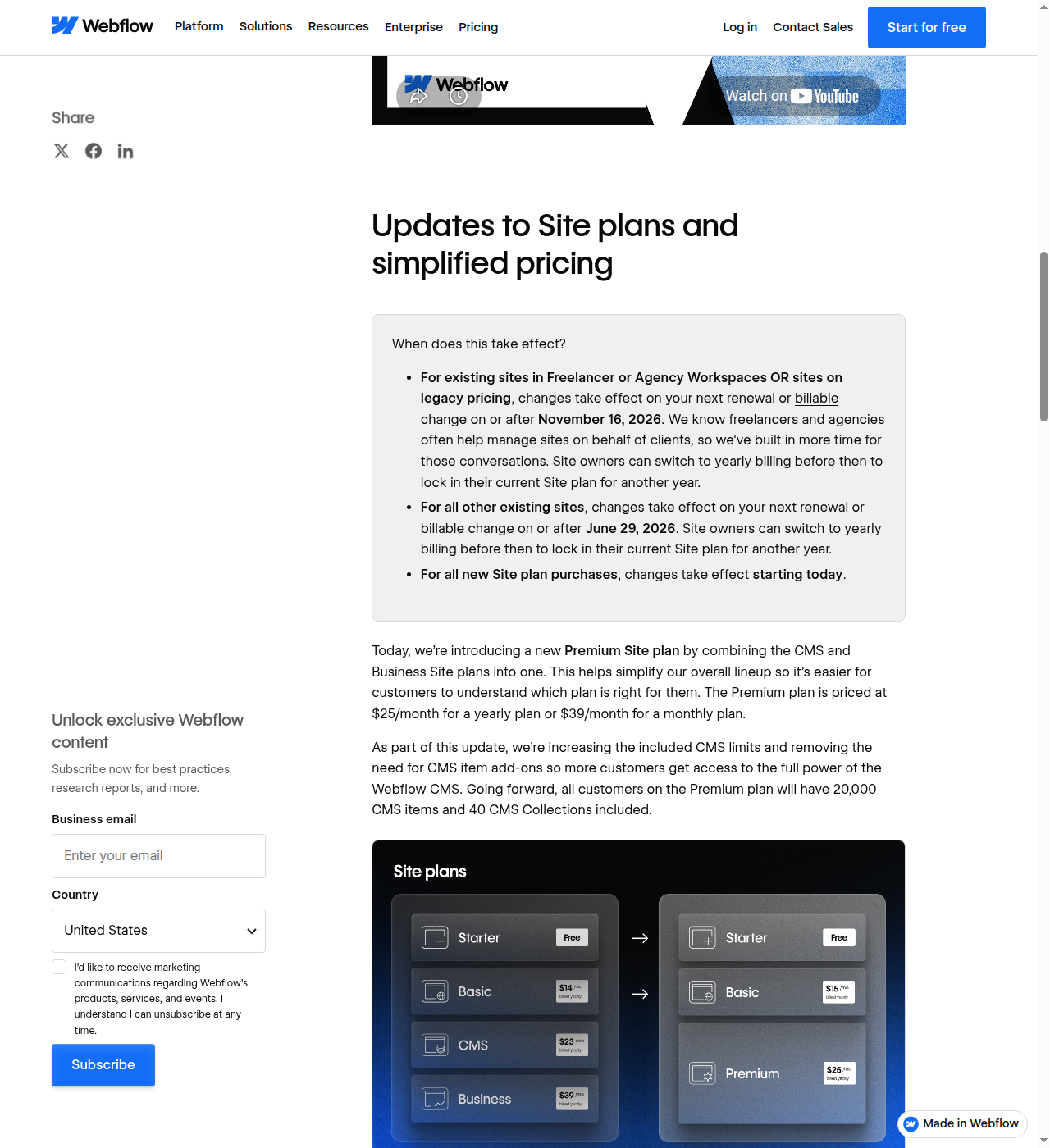
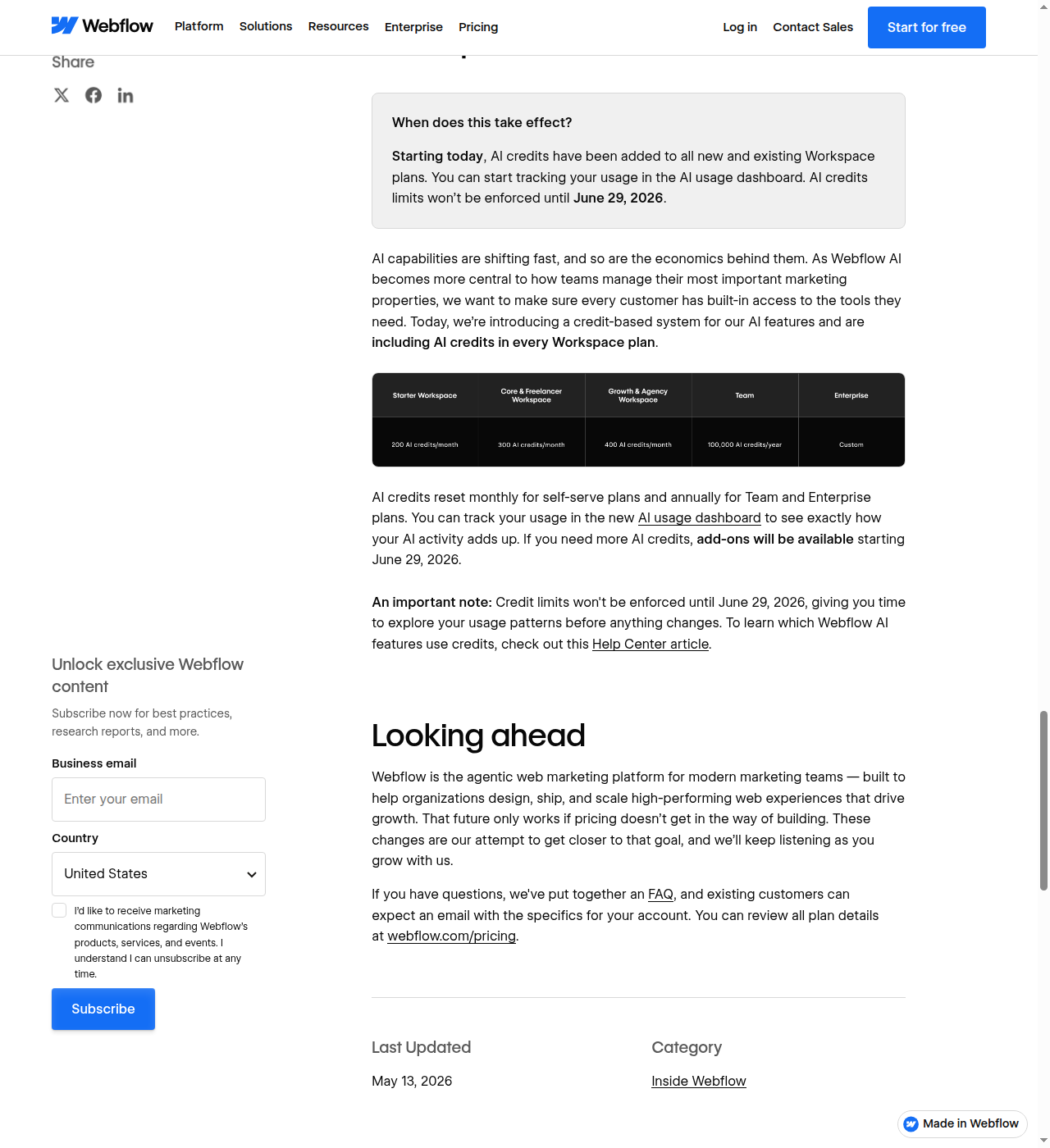
- Stated note on the page: “We recently updated our pricing and packaging” (a May 13, 2026 update that combined CMS/Business into Premium and increased Basic to $15/mo).
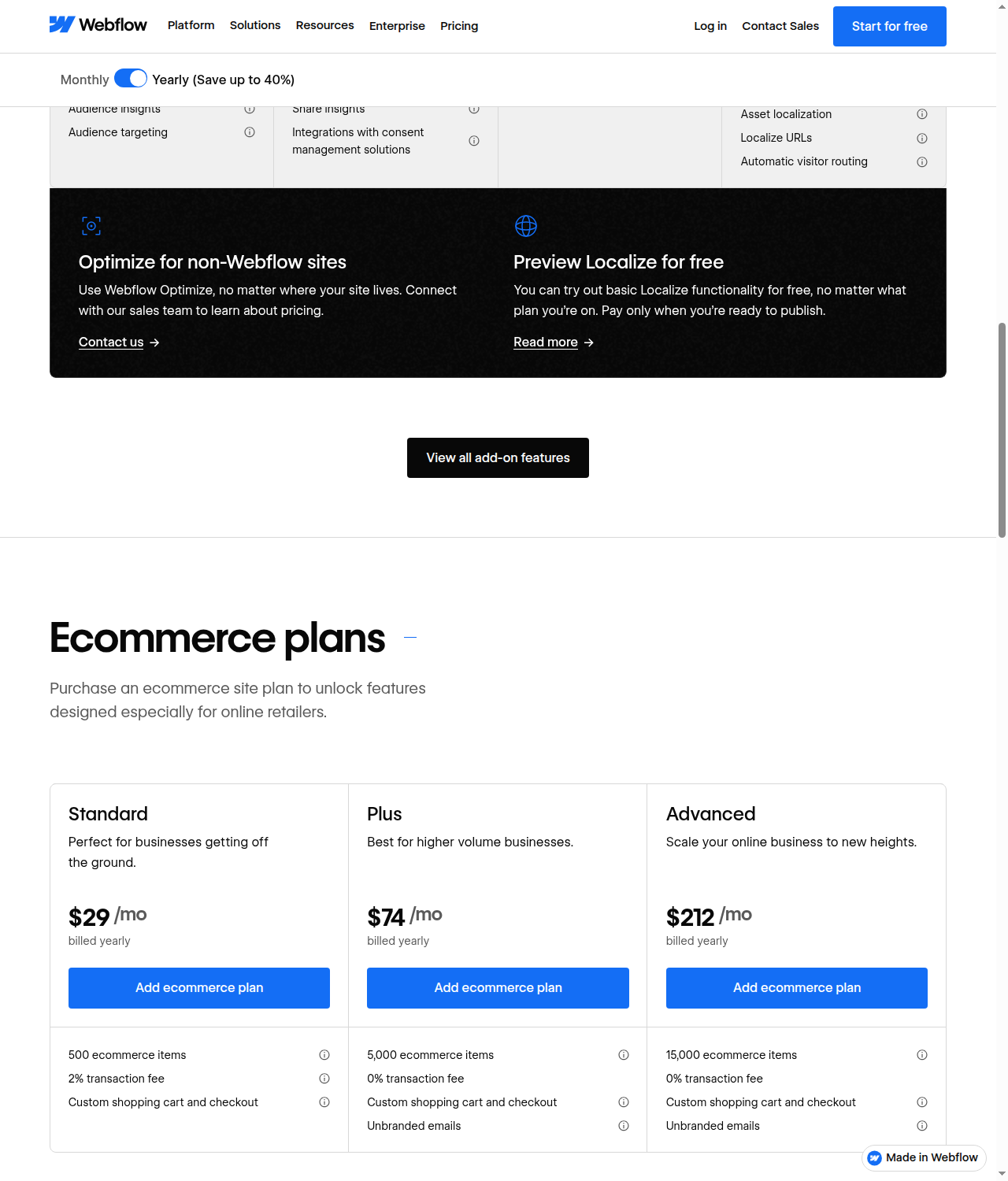
- Ecommerce plans are still separate: Webflow retains standalone Ecommerce site plans - Standard $29/mo (500 items, 2% transaction fee), Plus $74/mo (5,000 items, 0% fee), Advanced $212/mo (15,000 items, 0% fee). They have not dropped native ecommerce.
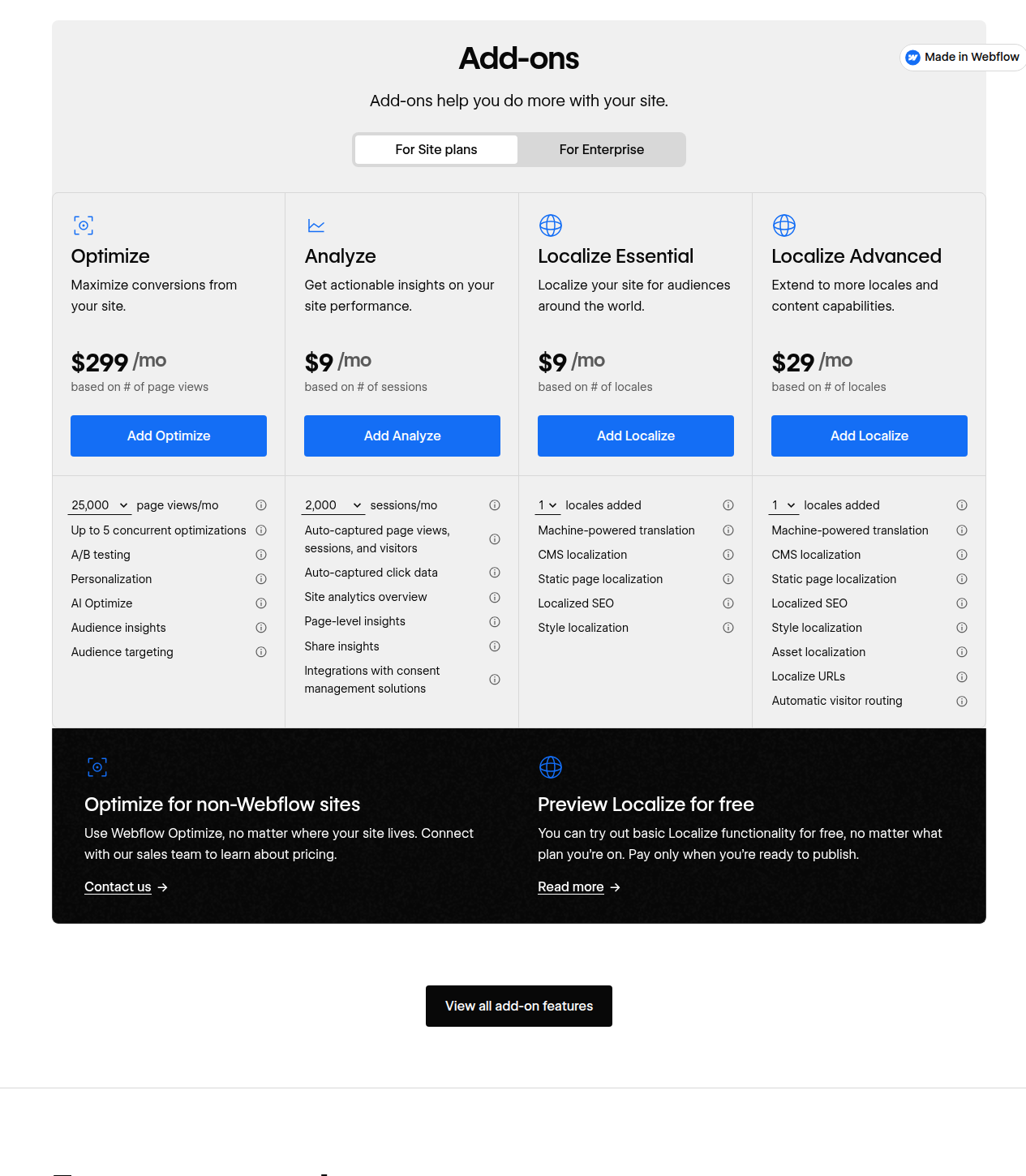
- Add-ons: Optimize ($299/mo, page-view tiered 25k-500k), Analyze (from $9/mo, session-tiered 2k-500k), Localize Essential ($9/mo per locale, up to 3) / Advanced ($29/mo per locale, up to 10).
- SEO features on Starter (301 redirects, robots.txt, LLMs.txt, schema markup) carry a caveat: “Must have a paid Workspace plan to access on a Starter site.” A paid Workspace plan (Core, Growth, Agency, or Freelancer) is a separate subscription from Site plans that adds collaboration and staging tools.
Prices accurate as of July 2026; check webflow.com/pricing for current rates.
Where Webflow loses
- Agent model is shallower on the canvas. Webflow AI writes copy, sections, and CMS items, but it doesn’t have Design/CMS/Code agents editing the live site the way Framer does. For “I want an agent to rebuild this section and fix my alt text right now,” Framer is further along.
- Pricing compounds. Site + Platform + Optimize + Analyze + Localize can run to thousands per month for a marketing team that wants the full stack. Framer’s flatter seat + add-on structure is easier to forecast.
- Learning curve. Class-based visual development has a real learning curve; “Webflow University” is required reading. A marketer who just wants to ship pages will hit the wall faster in Webflow than in Framer’s freeform canvas.
- First-draft speed. Framer’s prompt-to-live-editable-page flow is faster for getting a real-looking draft up. Webflow’s AI builds inside a structured system you then have to control.
- Ecommerce availability. Webflow retains separate Ecommerce site plans for native storefronts, while Framer relies on embeds.
Where each actually wins
- First-draft speed: Framer. Prompt -> live editable page in minutes.
- Agent model on the live site: Framer (canvas-native agents + External Agents pushing in).
- CMS depth: Webflow (mature CMS, per-item publishing, content APIs, deeper allowances).
- Developer tooling: Webflow (semantic output, deep APIs, devlink, MCP).
- Web-app hosting: Webflow (Webflow Cloud). Framer doesn’t do this.
- SEO/AEO: Tie with different shapes - Framer is self-serve and on-canvas; Webflow is deeper enterprise governance but gated to Team/Enterprise.
- Enterprise governance: Webflow (page branching, approvals, audit-log API, SSO/SCIM/JIT, custom roles, 99.99% SLA).
- Pricing forecastability: Framer (flatter seat + add-on structure).
- Learning curve for marketers: Framer (freeform canvas is friendlier).
Security certifications and what it costs to leave
Both vendors clear the compliance bar most buyers actually ask about. Framer’s own security page states it “has successfully completed the SOC 2 Type 1 audit and the SOC 2 Type 2 audit” and “has achieved ISO 27001 compliance,” with SSO available on Enterprise for Google Workspace, Azure AD, OneLogin and Okta. Webflow’s Trust Center confirms the same two certifications plus ISO 27017 and ISO 27018 on top. Neither is a reason to rule the other out (checked 2026-09-10, framer.com/legal/security and trust.webflow.com).
Where they genuinely diverge is what happens if you want to leave. Webflow lets a paid Workspace export a site’s HTML, CSS, JavaScript and static assets as a ZIP you can self-host on Netlify, Vercel, GitHub Pages or your own server - Webflow’s own help documentation walks through it. The catch: forms stay on the page but stop submitting, and site search, ecommerce and memberships stop working, because those depend on Webflow’s backend. Framer has no equivalent. Its help center is direct about it: “Framer does not offer HTML export for self-hosting.” A site built there stays on Framer’s infrastructure, or you pay a third-party scraping tool to reconstruct it - not the same thing as a vendor-provided export (checked 2026-09-10, help.webflow.com and framer.com/help). If a self-hostable exit path matters to you - regulated procurement, an agency handing off a finished site to a client’s own stack - that’s a real point for Webflow, not a marketing claim.
Alternatives worth a look before you decide
- Wix / Wix Studio - the template-and-editor mass-market play; Wix Studio is Wix’s agency answer to Framer/Webflow.
- Squarespace - the design-template default for small business / portfolio sites.
- WordPress - the hosted-CMS incumbent; Framer explicitly markets a WP-importer agent (Claude Code importing WP REST API posts into Framer CMS), so WP migration is a real angle. See our Framer vs WordPress comparison for that head-to-head.
- Figma - the design-tool parent; both Framer and Webflow compete at the “Figma to live site” boundary (Framer has a
/solutions/figma-to-html/page; Webflow has Figma-to-Webflow + devlink/React export). - Lovable and v0 (Vercel) - AI codegen site/app generators; closer “AI builds it” competitors to Framer than the traditional builders, and a real option for a dev-led team asking “why not just code it with Claude Code/Cursor?”
- Headless CMS (Sanity, Contentful) - a different category (composable headless + separate front-end), not a direct substitute, but worth naming if your team is already headless-curious.
- Instapage / Unbounce - if what you actually need is high-volume paid-ad landing pages rather than a full marketing site, a dedicated landing-page builder is a narrower, cheaper fit than either Framer or Webflow. See our Instapage vs Unbounce comparison for that matchup.
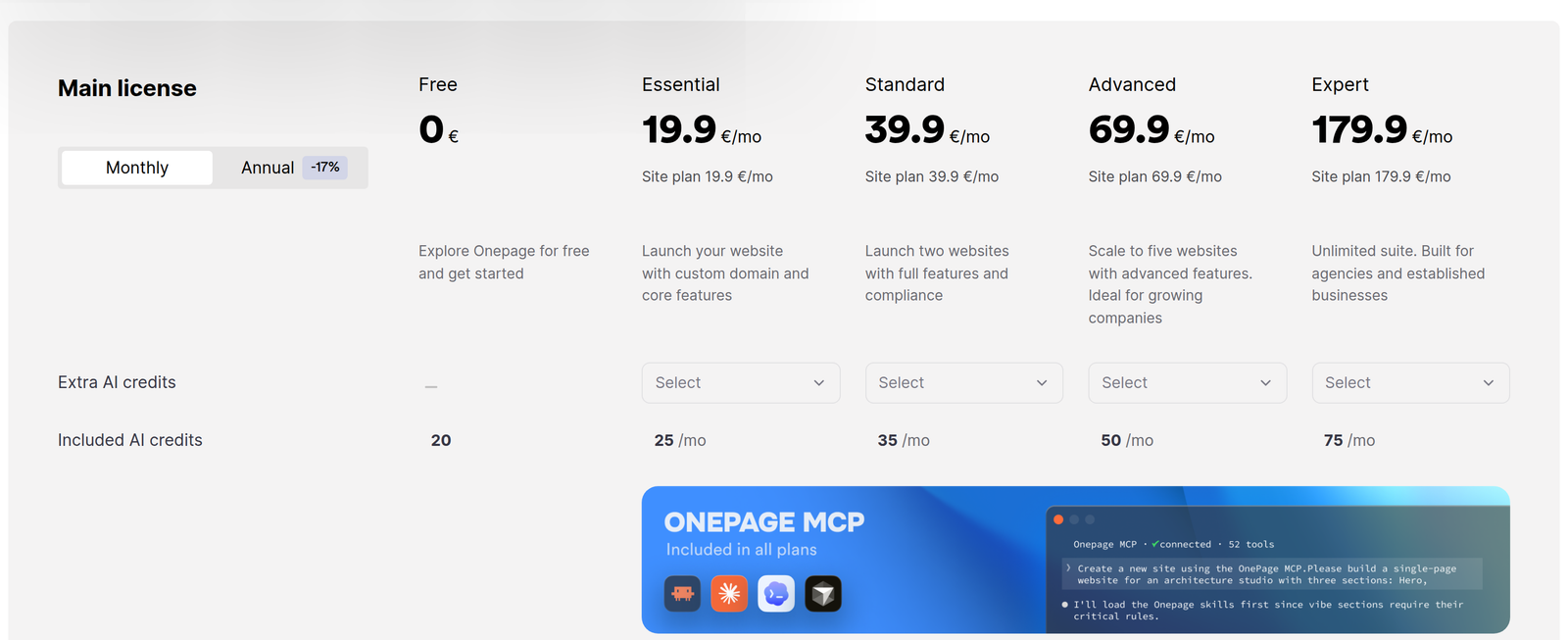
- Carrd / Onepage - if all you actually need is a single one-page site or a link-in-bio on your own domain rather than a full marketing site, a one-page builder is a much cheaper fit. Carrd is the $19/year minimal end; Onepage adds a built-in CRM and multi-page depth at €19.90/month. See our Onepage vs Carrd comparison for that matchup.
Building the storefront instead of the marketing site? Neither Framer nor Webflow natively competes with dedicated ecommerce platforms - see our Sellfy vs WooCommerce vs Shopify vs Wix roundup if selling products is the actual job to be done.
Bottom line
- Pick Framer if you’re a design-led marketing team that ships marketing sites fast and wants AI agents editing the live page. It’s wrong for you if you need deep CMS APIs, web-app hosting, or compliance-grade enterprise governance.
- Pick Webflow if you’re a developer-led or compliance-heavy team that needs semantic HTML/CSS, a mature CMS, Webflow Cloud web-app hosting, and enterprise controls. It’s wrong for you if you’re a marketer who just wants pages up this afternoon and your budget can’t absorb stacked add-ons.
The buyer who picks Framer for an enterprise compliance migration, or Webflow for “I need a landing page by Friday,” is choosing the wrong tool. Match the tool to the team that will actually own the site.
Already on Framer and thinking about switching? See our Framer to Webflow migration guide for what actually transfers, what you’ll rebuild, and how to keep your SEO intact during the cutover.
Once the site is live, the next question is what to change on it. Our Robynn AI vs Coframe comparison looks at two AI tools that test and rewrite live pages for conversion.