12 July 2026 · Comparison
Scarlett vs Viktor (2026): Which AI Coworker Ships Work?
The short answer
Two AI employees in Slack at the same $50 entry price, at radically different stages. One is days old; the other has $75M and 40K teams.
Who picks what, in under 100 words: Pick Scarlett if you are a solopreneur who wants an AI coworker via iMessage, loves the idea of Autopilot running things while you sleep, and wants the simplest possible setup. Pick Viktor if your team lives in Microsoft Teams, you need completed SOC 2 compliance, you want deep deliverables like full-stack web apps and Excel models, or you need a product with proven scale across 40,000+ teams. Both start at $50/month, but that is where the similarity ends.
Affiliate disclosure: Some links on this page are affiliate links. If you click through and make a purchase, we may earn a commission at no extra cost to you. Scarlett is an affiliate partner; Viktor is included for comparison purposes only.
What Are Scarlett and Viktor?
Both tools promise an AI employee that lives in Slack, not a chatbot that answers questions. Each gives the AI its own cloud computer where it writes and runs code to complete real tasks: pull reports from Stripe, draft follow-ups in HubSpot, build dashboards, and post the results to your team channels.
Scarlett launched on Product Hunt on July 10, 2026 (2 days ago as of this writing). It is built by Cracked AI, the same team behind multiple Product Hunt #1 and #2 hits: ZeroHuman, Cracked.ai, Vireel, and Muse. Scarlett works in Slack and iMessage.
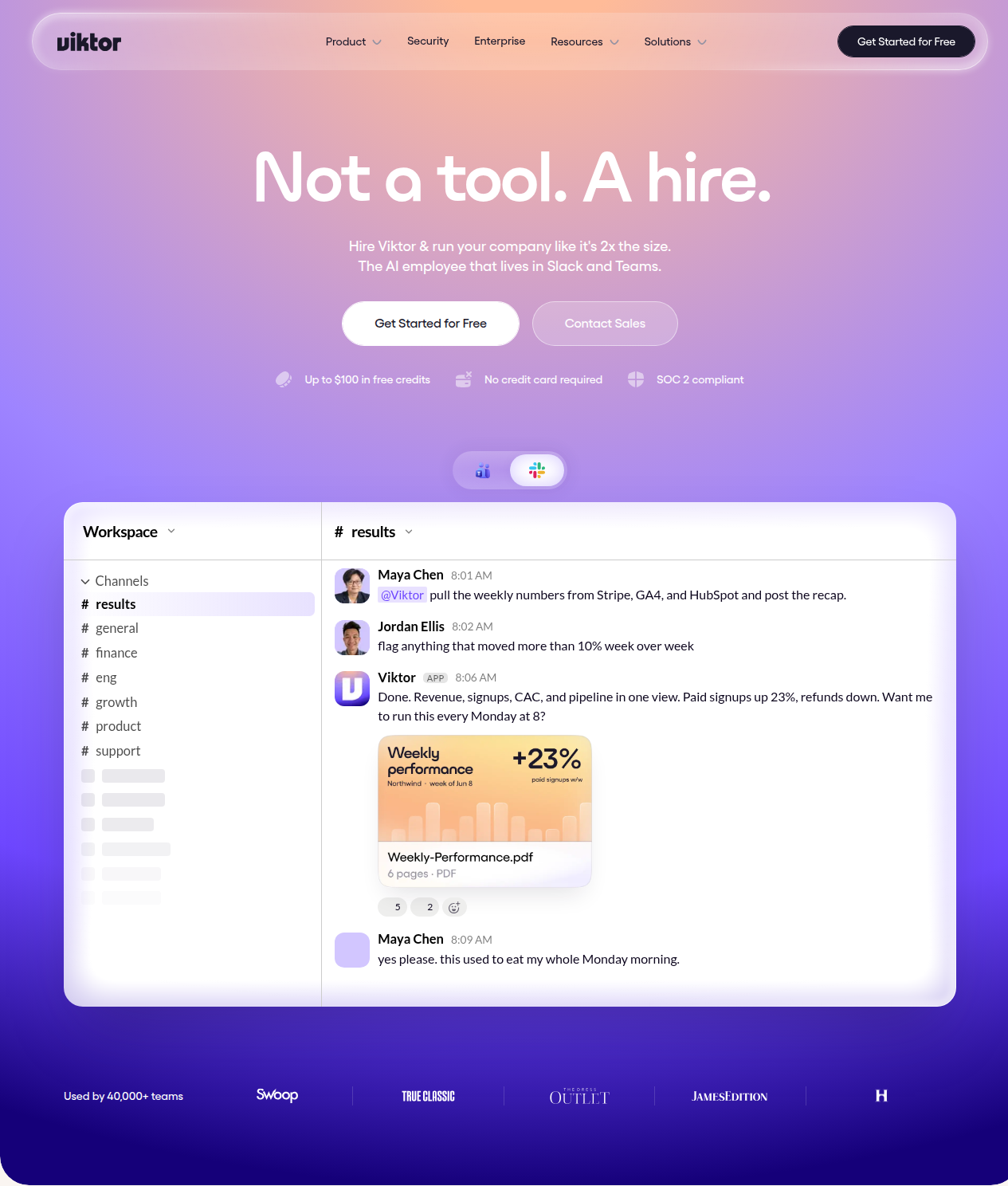
Viktor raised a $75 million Series A from Accel in May 2026 and reports 40,000+ teams. It is built by Zeta Labs and works in Slack and Microsoft Teams. It publishes aggressively: 116 blog posts, many directly comparing itself to competitors.
Pricing: Scarlett vs Viktor
Both start at $50/month. Both use a credit-based model. The differences emerge in what you get at entry level and how fast costs can scale.
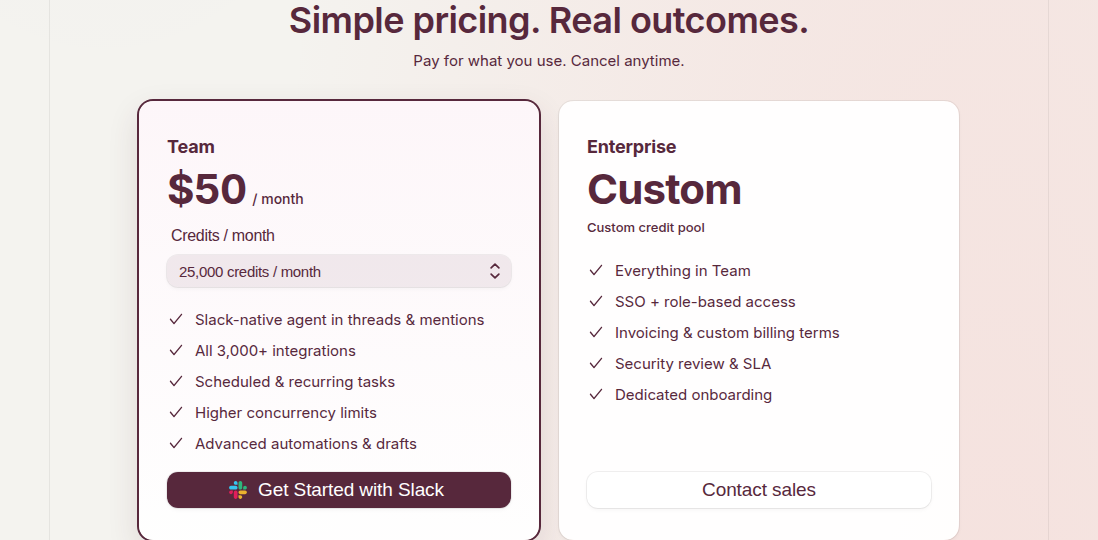
Scarlett pricing Scarlett Team plan is $50/mo with 25,000 credits/month; Enterprise is custom pricing with custom credit pool; $50 in free credits to start
- Team: $50/month for 25,000 credits/month
- Enterprise: Custom pricing, custom credit pool, SSO + RBAC, invoicing, SLA, dedicated onboarding
- Free credit: $50 in free credits to get started
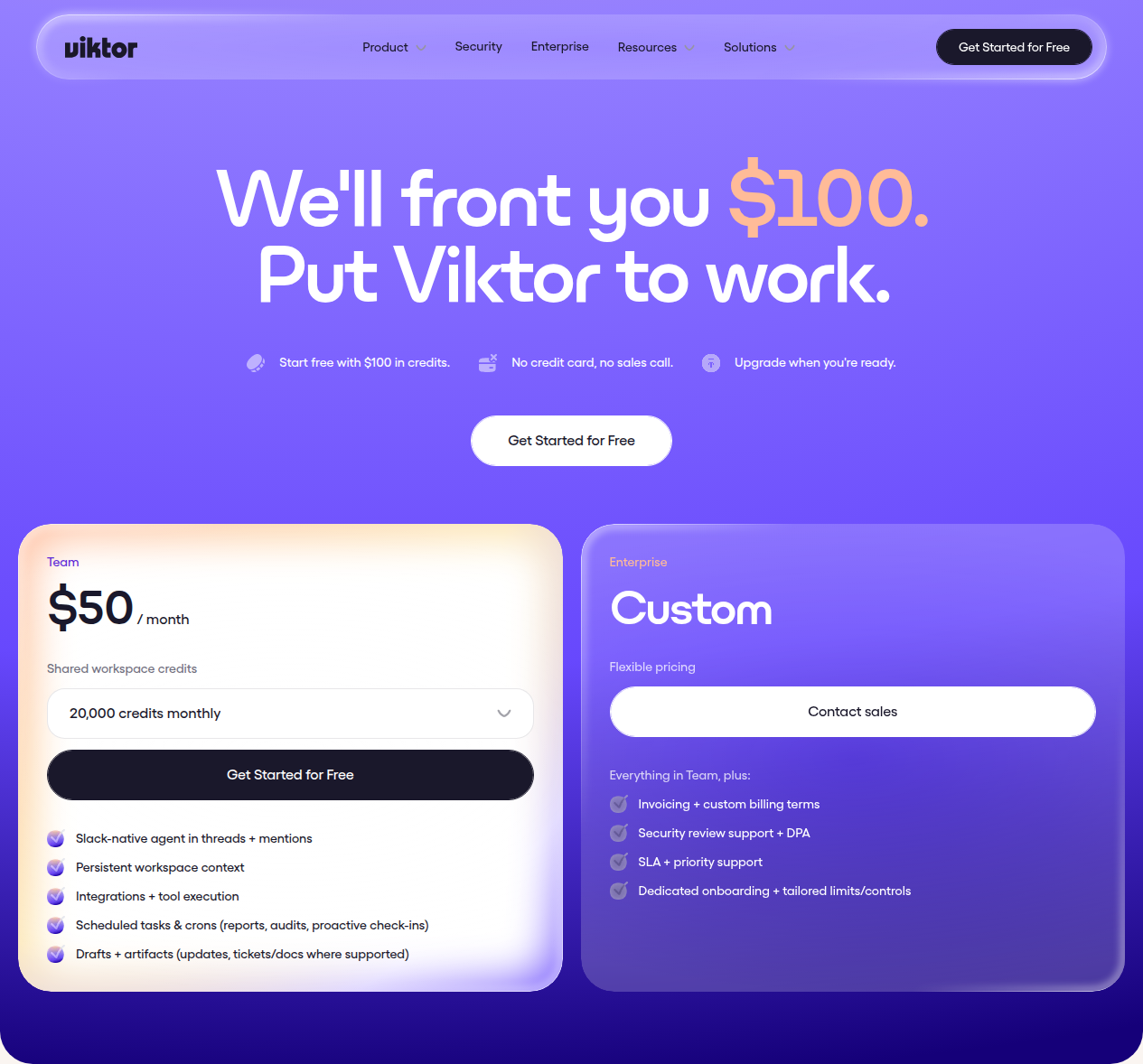
Viktor pricing Viktor offers $100 in free credits with no credit card required. Team plan starts at $50/month for 20,000 credits. Viktor publishes detailed credit-use examples: quick tasks cost 100-300 credits, complex workflows 500-1,500, full projects 2,000-5,000. Enterprise is custom pricing.
- Free trial: $100 in credits, no credit card required
- Team: Starting at $50/month for 20,000 credits, with higher credit tiers available
- Enterprise: Custom pricing
Both tools emphasize that all features are available on every plan. The difference is only in how many credits you get and, at the Enterprise level, things like SSO, SLA, and dedicated support.
One notable difference in credit transparency: Viktor publishes detailed credit-cost examples (a quick Slack summary costs 100-300 credits; a full internal app build costs 2,000-5,000). Scarlett does not yet publish credit-cost examples publicly, so you are guessing at what 25,000 credits actually buys you.
Prices accurate as of July 2026; check each vendor’s site for current rates.
Feature Comparison Table
| Dimension | Scarlett | Viktor |
|---|---|---|
| Platforms | Slack + iMessage | Slack + Microsoft Teams |
| Entry price | $50/mo (25K credits) | $50/mo (20K credits) |
| Free/trial credits | $50 free | $100 free, no card |
| Integrations | 3,000+ | 3,200+ |
| Deliverables | PDFs, decks, dashboards, code | PDFs, Excel, PowerPoint, Remotion video, full-stack web apps (Spaces) |
| Browser automation | Not mentioned | Yes (drives real browser) |
| Proactive mode | Autopilot (50+ business books trained) | Pattern observation + automation suggestions |
| Model routing | Multi-model (best model per task) | Multi-model (set per scheduled task) |
| SOC 2 | In progress | Type 1 completed, Type 2 in progress |
| Slack Directory | In progress | Listed (passed Salesforce review) |
| Microsoft Teams | Connector only (not native app) | Native app (Microsoft approved) |
| Memory | SQL hybrid (Postgres + vector) | Karpathy wiki (skills system) |
| Customer evidence | 3 anonymous testimonials | 10+ named companies, named executives |
Where Scarlett Wins
iMessage Support (Unique)
No other AI coworker in this space works via iMessage. If you are a solopreneur or independent professional who does not use Slack, Scarlett is your only option. You can fire off tasks from your phone the same way you text a colleague.
Autopilot Mode
Scarlett trained on 50+ business and growth books and can run autonomously: wake up, check revenue, triage customers, post social content, and ask for help when it hits something it cannot handle. You get a daily company report at 7am without touching anything. Viktor has proactive automation (pattern observation and suggestions) but not the same set-it-and-forget-it Autopilot.
”Use Our Keys” Model
You do not need your own API keys for HeyGen, XAI, or other services. Scarlett provides the keys and passes costs along. This removes one layer of subscription management, especially useful for solopreneurs who do not want to juggle a dozen API accounts.
Faster Setup and Simpler Positioning
Scarlett claims sub-3-minute setup. Install from Slack, connect your tools, start asking. Viktor has 116 blog posts, dozens of features, and a learning curve that can overwhelm new users. Scarlett’s simpler positioning is a genuine advantage for first-time AI-coworker adopters.
Where Scarlett Loses
Brand New (2 Days Old)
Scarlett launched on Product Hunt on July 10, 2026. There is no track record, no large-scale adoption evidence, and the early-access gate is still the default entry point. Viktor has 40,000+ teams and a year-plus of production use.
No Completed Security Certifications
SOC 2, GDPR DPA, Slack App Directory listing, SSO/SAML, ISO 27001 — all are either “in progress” or “planned.” A larger team with compliance requirements cannot use Scarlett yet. Viktor has SOC 2 Type 1 completed, Type 2 in progress, CASA Tier 3, and is listed in both the Slack and Teams marketplaces.
No Native Microsoft Teams App
Scarlett lists a Teams connector among its 3,000+ integrations, but this is not a native Teams app. It means Scarlett can interact with Teams as a data source, not that your team members can @Scarlett in a Teams channel. Viktor passed Microsoft’s security review and is a native Teams app.
Immature Access Controls
Product Hunt reviewers flagged the need for “more robust access-control management.” There is no RBAC on the Team plan, and SSO is “planned.” Larger teams with role hierarchies and compliance requirements will hit walls quickly.
Credit Model Opacity
Scarlett does not publish documentation on what a credit actually buys. Viktor publishes detailed examples (100-300 credits for quick tasks, 2,000-5,000 for full projects). With Scarlett, you are committing to a credit pool without knowing how far it goes.
Self-Reported Benchmarks
Scarlett’s speed and quality comparison chart (9.8s response time, 90.2 quality score vs Viktor’s 14s and 89.2) is published on Scarlett’s own marketing page. There is no independent verification. Treat these numbers as marketing, not as settled fact.
Where Viktor Wins
Enterprise Compliance (Completed)
SOC 2 Type 1, CASA Tier 3, Slack App Directory, Microsoft Teams marketplace — all completed, not in progress. For any team with a security questionnaire or a compliance requirement, Viktor is the only choice between these two today.
Microsoft Teams (Native)
Viktor passed Microsoft’s security review and works as a native Teams app. If your company is a Microsoft shop, Viktor is the only option that integrates directly into your existing communication surface.
Deep Deliverables and Viktor Spaces
Viktor ships deliverables Scarlett does not attempt: board-ready Excel financial models, Remotion videos, PowerPoint decks, and full-stack web applications via Viktor Spaces (Convex real-time database, custom subdomains, auth, hosting — all built from a Slack message). If you need an internal tool or a client-facing dashboard spun up from chat, Viktor is the only one that does it.
Proven Scale and Funding
$75 million from Accel, 40,000+ teams, named customers (Squibler, True Classic, Ridge, LYFEfuel, Accel itself), and named executive testimonials with hours-saved figures. Scarlett has three anonymous testimonials from first names only.
Browser Automation
Viktor drives a real browser to fill forms, pull data, and interact with tools that lack APIs. Scarlett does not mention this capability. For scraping, form-filling, or any workflow that requires a browser, Viktor covers ground Scarlett cannot.
Transparent Credit Examples
Viktor publishes a clear breakdown: quick tasks 100-300 credits, complex workflows 500-1,500, full projects 2,000-5,000. You can estimate your monthly cost before signing up. Scarlett does not publish equivalent guidance.
Where Viktor Loses
No iMessage or Solo Mode
Viktor requires a Slack or Teams workspace. There is no personal mode, no iMessage, and no way to use it without a team workspace. Solopreneurs who do not use Slack are simply excluded.
Pricing Can Escalate Fast
The credit-based model means costs scale with usage, and the curves are steep. At the Team level, 20,000 credits costs $50/month, but a single heavy month with complex projects can blow through that. Viktor’s $100 in free credits is generous for a trial, but once you are paying, you need to watch credit burn carefully.
Overwhelming Complexity
With 116 blog posts, dozens of features, Viktor Spaces, browser automation, proactive automations, scheduled crons, and detailed configuration options, Viktor can feel like a lot. New users may spend their first week learning rather than doing. Scarlett’s simpler onboarding is a real advantage here.
Best for Teams of 10-50
Viktor’s own comparison content describes it as “best suited for teams of 10-50.” Very small teams (1-2 people) and very large enterprises without custom deals may find the product misaligned with their needs.
Credit Cost Opacity at High Volume
Despite publishing examples at the low end, the exact credit costs for complex, multi-step workflows are not always predictable. Users report needing to learn optimization tricks (smart caching, reusing context) to keep costs under control.
Alternatives to Both
If neither Scarlett nor Viktor fits, consider these:
-
Claude Tag (Anthropic): @Claude in Slack, launched June 2026. Uses Claude Opus only. Async, multi-step tasks. Requires DIY setup with your own API keys. Quality leader in Scarlett’s benchmark (92.1), but limited to ~14 connectors and no browser automation. Best for Anthropic-native teams who want minimal vendor lock-in.
-
Lindy: A visual AI agent builder with no-code workflow construction. More of a build-it-yourself platform than an out-of-the-box coworker. Better for technical operators who want fine-grained control.
-
Zapier Agents: 7,000+ app connections with new AI chatbot features. Best for predefined, rule-based workflows rather than novel reasoning. Free tier available.
-
OpenClaw: Free, self-hosted AI agent with 321K GitHub stars. Requires technical setup, self-hosting, and API key management. The DIY alternative if you have engineering resources.
If you are evaluating AI tools more broadly, see our comparison of Lovable vs bolt.new for AI app builders, and Upstream vs Superhuman for AI email clients. The closest neighbour to this one is Soloop vs Pazi — the same approval-first versus momentum-first split, decided by how much you trust an agent to act unsupervised.
Bottom Line
Scarlett and Viktor share a category and an entry price, but they serve different buyers at different stages.
Pick Scarlett if you are a solopreneur who wants iMessage support, you value simplicity and speed, and you are comfortable betting on an early-stage product where compliance certifications are still in progress. The Autopilot mode and “use our keys” model are genuinely useful for one-person operations.
Pick Viktor if you need Microsoft Teams, completed SOC 2 compliance, browser automation, or enterprise-grade deliverables like full-stack web apps. It is the mature, well-funded option with named customers and a year-plus of production deployment.
Scarlett is the wrong pick if you are a 10+ person team that needs RBAC, SSO, completed security certifications, or a native Teams app today. Viktor is the wrong pick if you are a solopreneur who wants iMessage, a dead-simple setup, or the lowest possible entry cost.