16 July 2026 · Comparison
ChatCut vs Descript: Which AI Video Editor Does the Work?
The short answer
ChatCut is a fast AI-native timeline editor for solo creators. Descript is the mature all-in-one hub with voice cloning. Here's how to pick.

Affiliate disclosure: Some links in this post are affiliate links. If you click through and make a purchase, we may earn a commission at no extra cost to you. This does not affect our verdict.
The Short Answer
Pick ChatCut if you want an AI that watches your footage, understands what each clip is about, and edits on a real multi-track timeline while you watch. It is built for people who think in cuts, not documents — and want to hand off the first 80% of editing to an agent that works on a timeline they can still tweak manually.
Pick Descript if you need an all-in-one production hub: record remote interviews, edit by deleting text from a transcript, apply one-click audio cleanup with Studio Sound, generate AI voice clones that sync lip movements, and publish in 30+ languages. It is the safer, more mature choice for teams and podcasters.
If you are a solo video creator who wants an AI editing assistant that lives on a timeline and exports to Premiere, pick ChatCut. If you run a podcast, manage a team, or need voice cloning and remote recording, pick Descript.
ChatCut: The AI-Native Timeline Editor
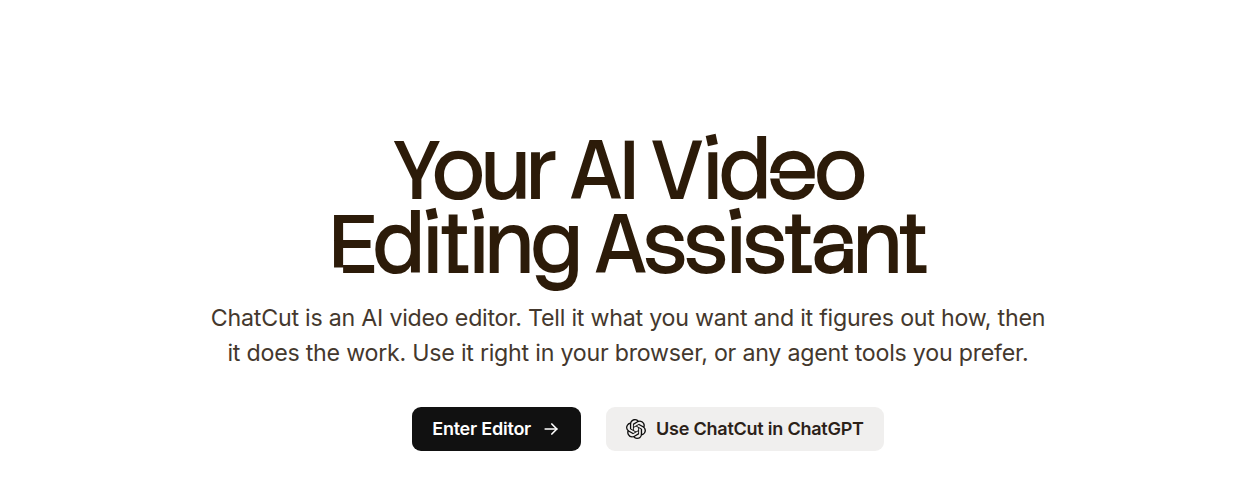
ChatCut is a browser-based AI video editor that launched in April 2026 and hit #1 Product of the Day on Product Hunt on July 10, 2026 with 771 upvotes. The pitch is simple: instead of dragging clips around a timeline yourself, you describe what you want in plain English (“cut the dead air,” “find highlights and add B-roll”) and the AI agent does the work on a real multi-track timeline while you watch.
The key difference from template-based AI editors: every AI action becomes a normal, undoable edit. You can step in and tweak anything manually. Keyboard shortcuts match Premiere, DaVinci Resolve, and Final Cut Pro (configurable), and you can export XML to finish in those tools.
What ChatCut Gets Right
Agentic editing on a real timeline. This is the core pitch and it delivers. You prompt the AI, it watches your footage, cuts the repeated takes, finds highlights, and arranges clips in an order that makes narrative sense. It is not pasting a template on your raw footage.
AI motion graphics from text. Describe a chapter card, bar chart, timeline, or emphasis effect and it generates the animation straight onto your timeline. No After Effects, no keyframing. Export with transparency channel for overlays.
Credit system is simple (mostly). One credit pool covers everything: AI video generation (Seedance 2.0), image generation (GPT-Image-2), music generation, and agent-editing actions. No separate buckets for “media hours” vs “AI credits.” The complication: editing-action credit costs are harder to estimate upfront than generation costs, which are previewed before you commit.
20+ built-in caption styles with 100+ language support. Custom styles save as templates for reuse across projects. If your workflow needs dedicated transcription and subtitle exports beyond what’s built into the editor, see our HappyScribe vs Otter.ai comparison for tools that specialize in that layer.
XML export to professional NLEs. You are not locked in. Do the rough cut in ChatCut, export to Premiere, DaVinci, or FCP for finishing.
Pricing

| Plan | Monthly | Annual (per month) | Credits/Month | Key Features |
|---|---|---|---|---|
| Free | $0 | $0 | Starter credits | Basic editing and exports, trial of AI features, no watermark ever |
| Pro | $25/mo | $21/mo | 100 (adjustable up to 10,000) | Seedance 2.0 (up to 166s video), GPT Image 2 (up to 454 images), motion graphics (up to 500 clips), AI music, all agent editing capabilities |
| Plus | $100/mo | $50/mo | 400 | Seedance 2.0 (up to 666s video), GPT Image 2 (up to 1,818 images), motion graphics (up to 2,000 clips), everything in Pro |
The Pro plan has a credit slider: you can scale from 100 credits/mo up to 10,000 credits/mo, and the price rises with each step (annual billing defaults the slider to 200 credits/mo at $25/mo, for example). The Plus plan is a fixed 400 credits/mo tier. Note that the annual discount is not a flat 50% off every tier — the base 100-credit Pro tier drops from $25/mo to $21/mo billed annually (16% off), even though the toggle is labeled “Save 50%.”
Prices accurate as of July 2026; check chatcut.io/pricing for current rates.
Where ChatCut Loses
No podcast recording studio. You can import audio, transcribe it, label speakers, and strip filler words. But if you need to record remote guests with separate tracks and cloud backups, ChatCut does not have that. Descript’s Rooms feature is the clear winner for podcast production.
No voice cloning. ChatCut integrates ElevenLabs voices for AI voiceover in 32+ languages, but you cannot clone your own voice. If you need to fix a flubbed line by typing the correction and having AI regenerate your voice with matching mouth movements, Descript’s Overdub and Video Regenerate are unmatched.
Very new product. Launched April 2026. Small ecosystem, few integrations, small user community. No real-time multi-user collaboration yet (on the roadmap, not available today). If your team needs shared drives, brand kits, or per-seat billing, ChatCut does not offer any of that.
No desktop app. It runs in the browser or inside the ChatGPT/Codex desktop app. If you need offline editing, this is not the tool.
Credit estimation for editing actions is opaque. You see a preview cost for generating video or images, but the credit cost for agent editing actions (“tighten the intro,” “remove dead air”) is harder to budget. The unified credit pool is simpler than Descript’s split system, but the per-action pricing is less transparent.
Descript: The Mature All-in-One Production Hub
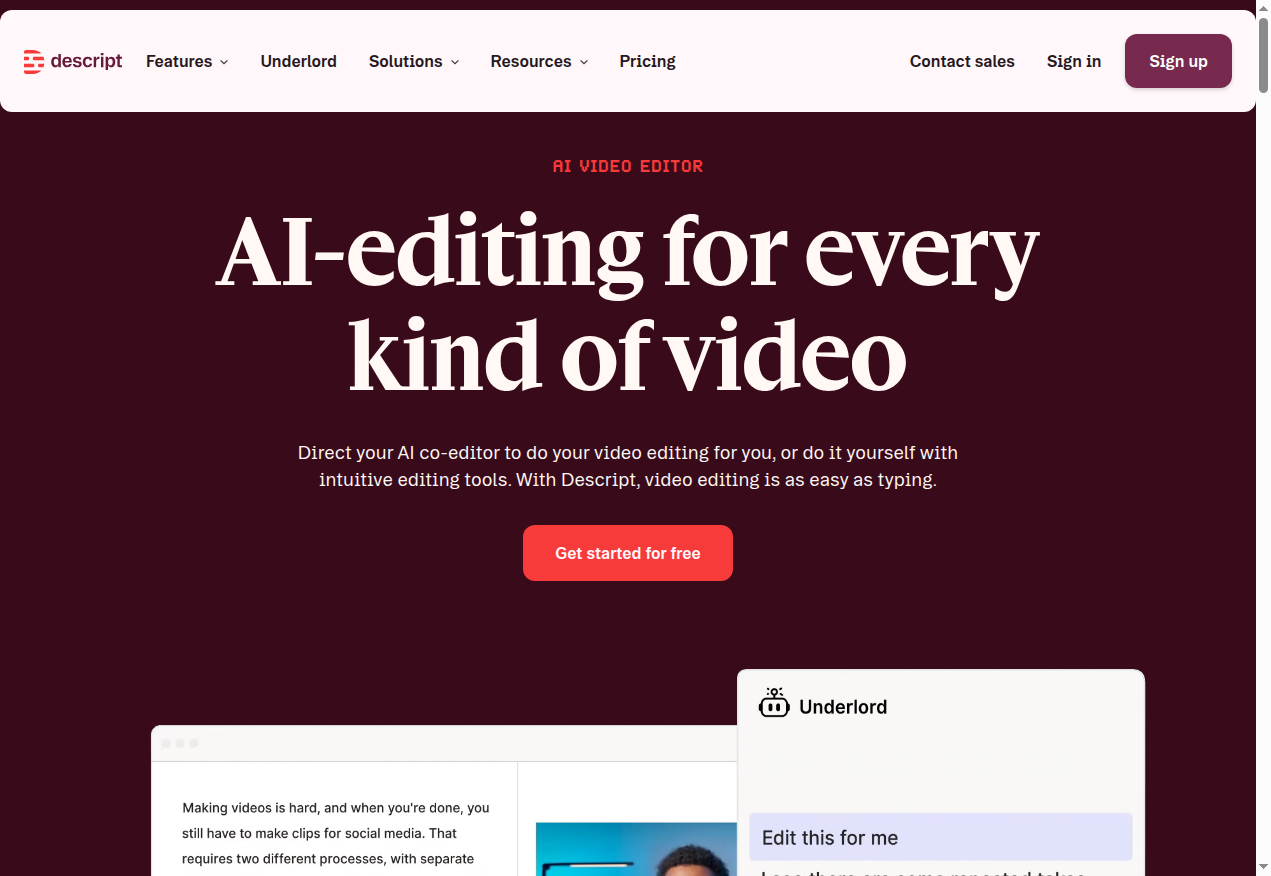
Descript was founded in 2017 by Andrew Mason (Groupon founder) and is used by over 6 million creators and teams, including Amazon, Spotify, the New York Times, and the BBC. It started as a text-based audio editor for podcasters and has expanded into a full video production platform with an AI co-editor called Underlord.
The core paradigm is document-style editing: your video becomes a transcript. Delete a sentence, the matching video and audio leave the timeline. Add a word, and AI can regenerate the speech with your cloned voice. This makes rough cuts fast — but the trade-off is less precision for complex timeline edits.
What Descript Gets Right
Studio Sound. One-click AI audio enhancement that removes background noise and enhances speech quality. This is not just a noise gate — it uses regenerative AI to rebuild clean audio. Widely praised as best-in-class.
Overdub voice cloning + Video Regenerate. Descript pioneered AI voice cloning. Create a voice clone from a short recording sample, then fix audio flubs by typing the correction. Video Regenerate syncs the mouth movements to the new word. No other tool in this comparison does this.
Rooms remote recording studio. Up to 10 participants, separate cloud backup recordings, producer controls with push-to-talk, automatic project setup after recording, and 7-day guest file recovery. If you record interviews or podcasts with remote guests, this alone can justify a Descript subscription.
End-to-end workflow. Record in Rooms, transcribe automatically, edit by editing the transcript, apply Studio Sound, generate captions, translate into 30+ languages with dubbing, generate social clips with Underlord, and publish. All in one tool.
Maturity and trust. 8+ years of development, 6M+ users, Fortune 500 customers, SOC 2 compliance, SSO/SCIM on Enterprise. Your team’s IT department will not block it.
Built-in stock library. Unlimited access to royalty-free videos, images, GIFs, music, and sound effects on Creator plan and above.
Pricing
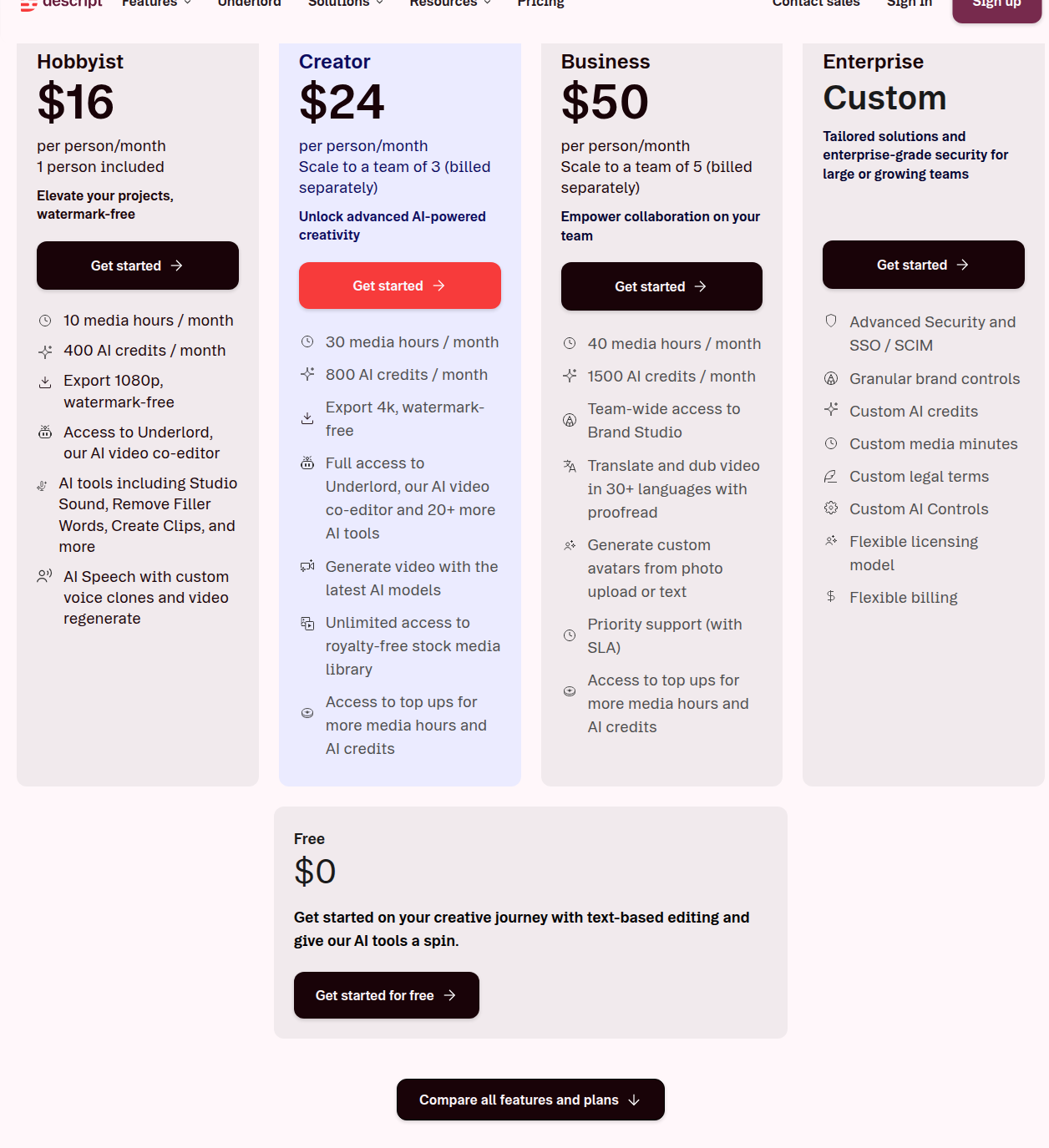
| Plan | Monthly | Annual (per month) | Media Hrs/Mo | AI Credits/Mo | Key Features |
|---|---|---|---|---|---|
| Free | $0 | $0 | 1 | 100 (one-time) | 720p export, limited Underlord/AI tools |
| Hobbyist | $24/mo | $16/mo | 10 | 400/mo | 1080p export, Underlord, Studio Sound, filler removal, custom voice clones, video regenerate |
| Creator | $35/mo | $24/mo | 30 | 800/mo | 4K export, full Underlord + 20+ AI tools, AI video generation, unlimited stock library, top-ups available |
| Business | $65/mo | $50/mo | 40 | 1,500/mo | Brand Studio, translation/dubbing with proofread, custom avatars from photo/text, priority support with SLA |
| Enterprise | Custom | Custom | Custom | Custom | SSO/SCIM, custom AI controls, custom legal terms, flexible licensing |
All plans are per-person. Media hours and AI credits are separate limits; both can be topped up on paid plans.
Descript pays a $25 commission per new subscriber via PartnerStack (no minimums, monthly PayPal payouts).
Prices accurate as of July 2026; check descript.com/pricing for current rates.
Where Descript Loses
Performance on large files. This is the most-cited complaint across Product Hunt reviews and user forums. Longer and older project files slow down significantly. Descript is not optimized for projects with dozens of tracks and hours of footage — it is built for the 99% of business and creator use cases, not for complex multi-track productions.
Buggy power features. Overdub (voice cloning), gap editing, and Studio Sound have recurring bugs reported by users. Crashes when overdubbing long scripts are a known pain point. Descript ships a lot of features, but some of the more ambitious ones feel less polished than the core editing experience.
Document-style editing has precision limits. If you are used to a traditional timeline with frame-accurate cuts, crossfades, and multi-track layering, Descript’s transcript-first interface can feel imprecise. It is not a Premiere or DaVinci replacement for complex edits. ChatCut’s multi-track timeline is better for editors who want manual control alongside AI help.
Two separate limits are confusing. Media hours track how much raw footage you import or record. AI credits track individual AI actions (Studio Sound, filler removal, eye contact, etc.). Running out of one while having plenty of the other is common, and top-ups cost extra. ChatCut’s single credit pool is simpler — though also less transparent on per-action costs.
Per-person pricing scales fast. Every additional team member is another $16-65/month (annual). A 5-person team on Creator is $120/month. A 10-person team on Business is $500/month. There is no flat workspace pricing.
Support can be slow. Multiple Product Hunt reviewers report days for a first response and multiple iterations to resolve issues.
Head-to-Head: Where Each Wins
| Factor | ChatCut | Descript |
|---|---|---|
| Editing paradigm | Chat-first AI agent on a timeline | Document-style transcript editor |
| AI depth | More autonomous — watches footage, finds highlights, builds first cut | Task-specific — filler removal, clip creation, B-roll generation |
| Timeline control | Full multi-track timeline, NLE-compatible keyboard shortcuts, XML export | Document-based editing, less precise for complex timeline work |
| Audio enhancement | Prompt-based noise removal | Studio Sound one-click regenerative enhancement |
| Voice cloning | ElevenLabs voices only (32+ languages) | Overdub custom voice clones + Video Regenerate with lip sync |
| Podcast recording | Import + edit only, no recording studio | Rooms: up to 10 participants, cloud backups, producer controls |
| Video generation | Seedance 2.0 built-in on all paid plans | AI video generation on Creator+ only |
| Motion graphics | AI-generated from text, fully editable on timeline | Template/layout based, less dynamic |
| Caption styles | 20+ presets, 100+ languages, custom templates | Unlimited dynamic captions, customizable |
| Translation | 100+ languages for captions (no dubbing) | 61 languages for captions, 30+ languages for dubbing |
| Team features | None yet (roadmap), single-user | Per-seat billing, Brand Studio, shared drives, custom layout packs |
| Pro workflow compatibility | XML export to Premiere/DaVinci/FCP | Self-contained ecosystem |
| Maturity | Launched April 2026, small company | Founded 2017, 6M+ users, Fortune 500 customers |
| Entry price (annual) | $21/mo Pro | $16/mo Hobbyist |
| Credit system | Single unified credit pool | Separate media hours + AI credits |
| Offline editing | No (browser-based) | Yes (desktop app for Mac/Windows) |
| API/MCP | ChatGPT/Codex plugin | API + MCP (early access) |
Pricing: The Real Cost Comparison
Entry-level paid plans are close, and Descript is actually the cheaper one: ChatCut Pro at $21/mo annual vs Descript Hobbyist at $16/mo annual. But the comparison is apples-to-oranges because:
- ChatCut credits are a single pool. One credit covers roughly one AI action, whether it is generating 5 seconds of video, creating a motion graphic, or running an agent editing pass. The Pro plan’s 100 credits/mo is baseline; you can scale the slider to 10,000 credits/mo.
- Descript splits limits into media hours (raw footage you import/record) and AI credits (individual tool uses). The Hobbyist plan gives 10 media hours and 400 AI credits per month. For a solo creator editing a weekly 15-minute talking-head video, 10 media hours is likely enough. But if you also use Studio Sound, filler removal, and eye contact on every video, 400 AI credits can drain faster than expected.
At the mid-tier: ChatCut Plus at $50/mo annual vs Descript Creator at $24/mo annual. Descript is cheaper here too, and includes more: 4K export, 30 media hours, 800 AI credits, unlimited stock library, AI video generation, and 20+ AI tools.
For teams, Descript is the only option — ChatCut has no team features yet. Descript’s per-person pricing adds up fast, but the Brand Studio, shared drives, and custom layout packs make it workable for production teams.
ChatCut has no public affiliate program as of July 2026; Descript offers a $25 commission per new subscriber via PartnerStack.
Bottom Line
ChatCut is the better AI video editor for solo creators who want an agent that edits on a timeline. It understands your footage, finds the good takes, and builds a real cut you can refine. The XML export means you are never trapped — do the rough cut in ChatCut, finish in Premiere. The single credit pool is simpler to understand, even if per-action costs are less transparent. At $21/mo annual, it costs a bit more than Descript’s entry tier, so the pitch here is the editing paradigm, not the price.
But ChatCut is very new. No team features, no voice cloning, no recording studio, no offline desktop app, no enterprise compliance. If any of those matter to you, wait or look elsewhere.
Descript is the safer, more complete choice for most people. It does more things well: podcast recording, voice cloning, audio enhancement, translation, team collaboration. The 6M+ user base and Fortune 500 customer list mean it is not going anywhere. At $16/mo annual for Hobbyist, it is actually cheaper than ChatCut Pro’s $21/mo annual price, for a lot more capability.
But Descript is not a timeline editor in the traditional sense. If you need frame-accurate cuts on multiple tracks, you will feel constrained. The performance issues on large files and recurring bugs in power features are real friction points. And the dual-limit system (media hours + AI credits) is more confusing than it needs to be.
Who should pick ChatCut: Solo video creators and editors who want an AI assistant that works on a timeline, need to hand off to professional NLEs, and do not need podcast recording or voice cloning.
Who should pick Descript: Podcasters, marketing teams, and creators who want a single tool that handles recording, editing, audio cleanup, captions, translation, and publishing. Anyone who needs voice cloning or remote interview recording.
Who should pick neither: Editors doing high-end post-production on complex multi-track projects with hours of footage. Both tools are designed for the 80-99% of use cases, not for replacing a dedicated NLE with a professional color grading and sound mixing workflow.
Still not sure? Try both. ChatCut has a free tier with no watermark and no credit card required. Descript has a free tier with 1 media hour and 100 AI credits (one-time). Run the same project through both and see which editing paradigm — chat-first timeline or document-style transcript — fits how you think.