Sellfy vs Gumroad: Which Wins for Digital Creators in 2026?
Sellfy vs Gumroad: Which Wins for Digital Creators in 2026?
Verdict: Sellfy wins for creators who already make consistent sales and want to keep more of their money with a flat monthly fee and 0% platform transaction fees. Gumroad wins for absolute beginners who have no audience and want to start selling for free, with the chance of being discovered through Gumroad’s built-in marketplace.
Affiliate disclosure: Some links in this post are affiliate links. If you click through and make a purchase, we may earn a commission at no extra cost to you. Sellfy is an affiliate partner.
The decision between Sellfy and Gumroad comes down to one question: do you want to pay a flat monthly subscription or a percentage of every sale?
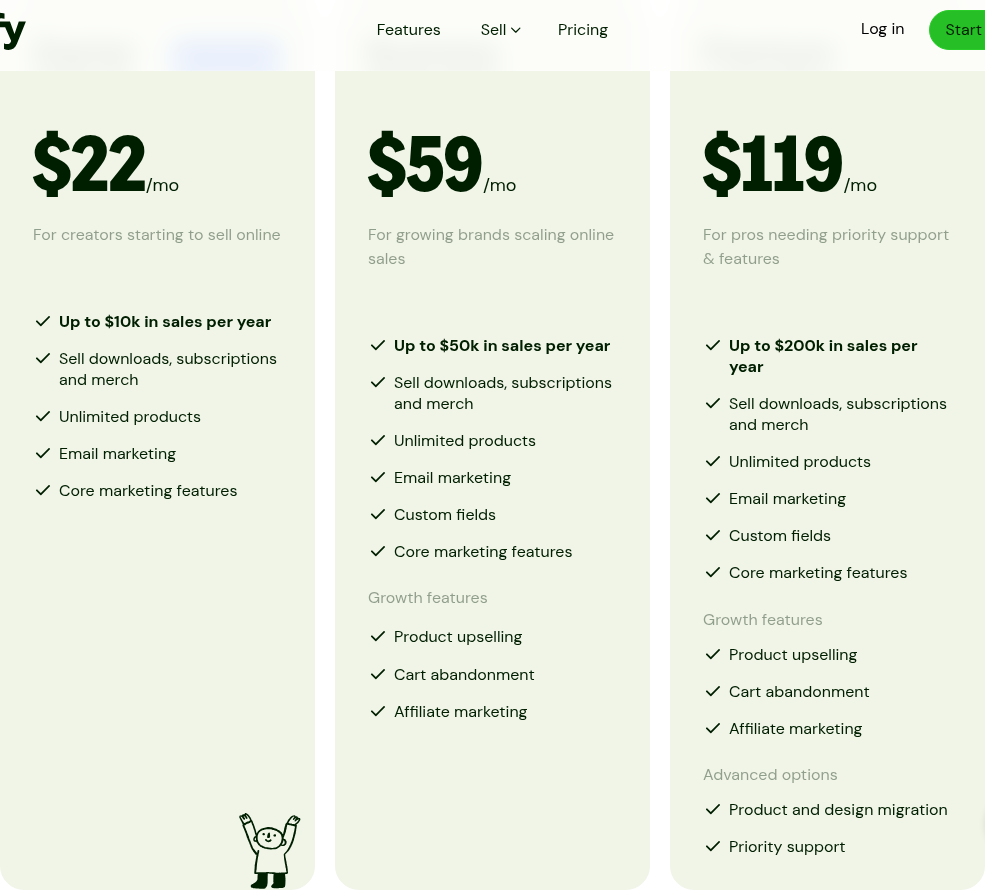
Sellfy charges $22/mo (billed annually) and takes 0% of your revenue. Gumroad charges nothing upfront but takes 10% plus $0.50 from every transaction. That math flips at around $220/month in sales. Below that line, Gumroad is cheaper. Above it, Sellfy saves you money — and the gap widens fast as you grow.
Pricing and the Break-Even Math
Sellfy Pricing
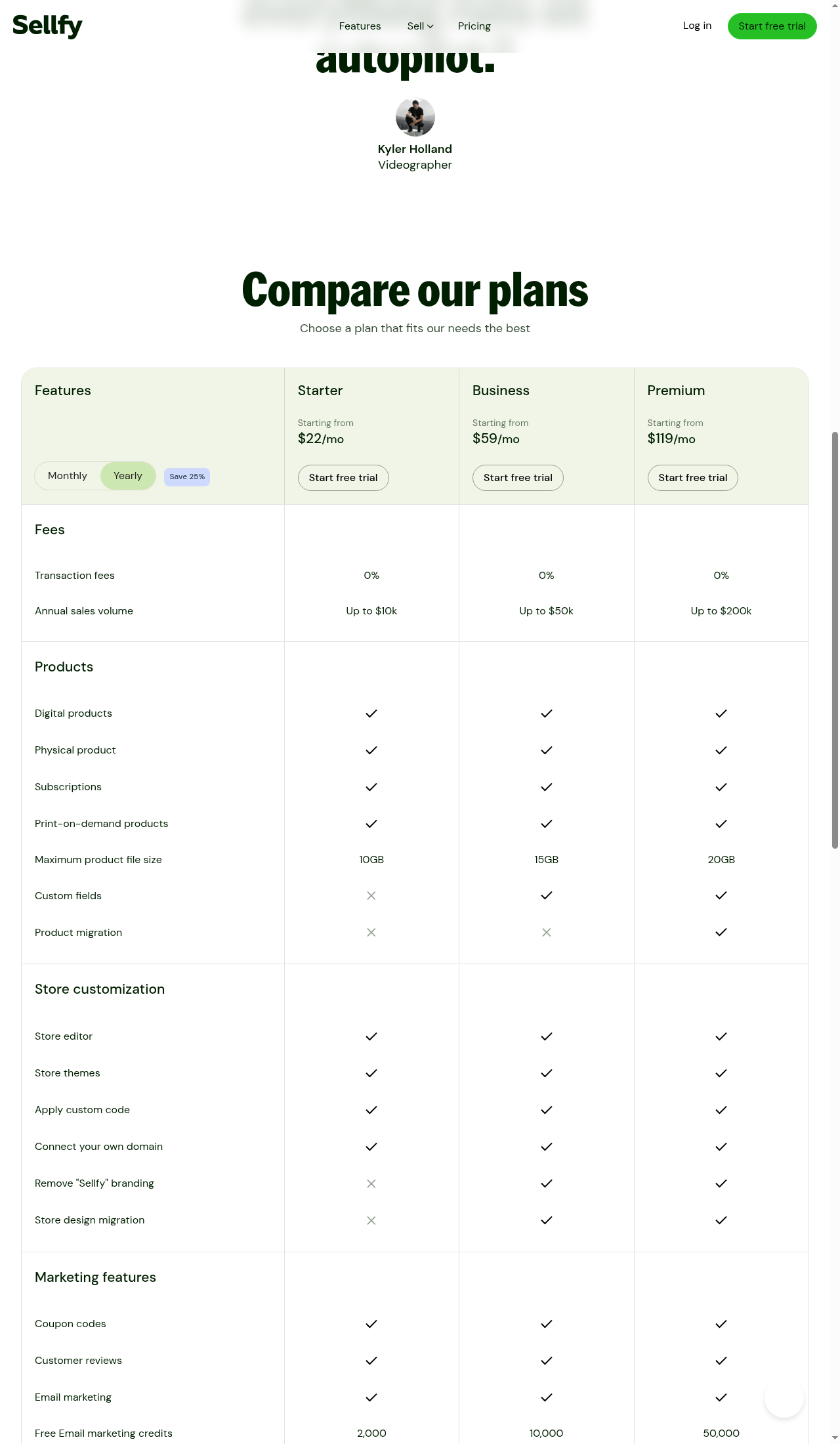
Sellfy has three plans, all with 0% transaction fees (separate from Stripe/PayPal processing fees of roughly 2.9% + $0.30):
| Plan | Monthly (Annual) | Monthly (Month-to-Month) | Annual Sales Cap |
|---|---|---|---|
| Starter | $22/mo | $29/mo | Up to $10K/yr |
| Business | $59/mo | $79/mo | Up to $50K/yr |
| Premium | $119/mo | $159/mo | Up to $200K/yr |
Prices accurate as of June 2026; check Sellfy’s site for current rates.
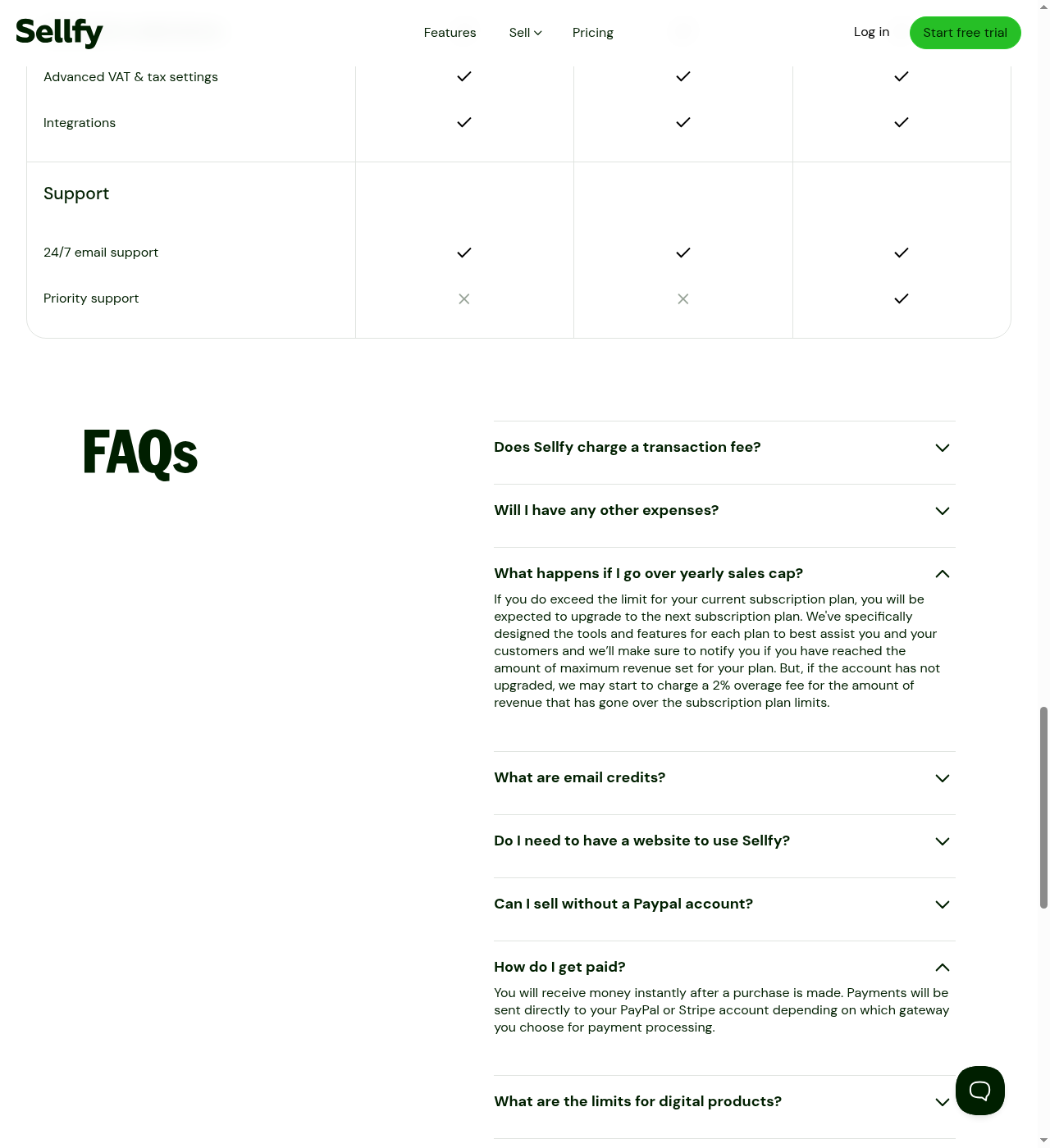
If you exceed your plan’s annual sales cap, Sellfy charges a 2% overage fee on the excess unless you upgrade. A 14-day free trial lets you build your store, but you must upgrade to a paid plan to actually sell.
Gumroad Pricing
Gumroad has no monthly fee. Instead, it charges per transaction:
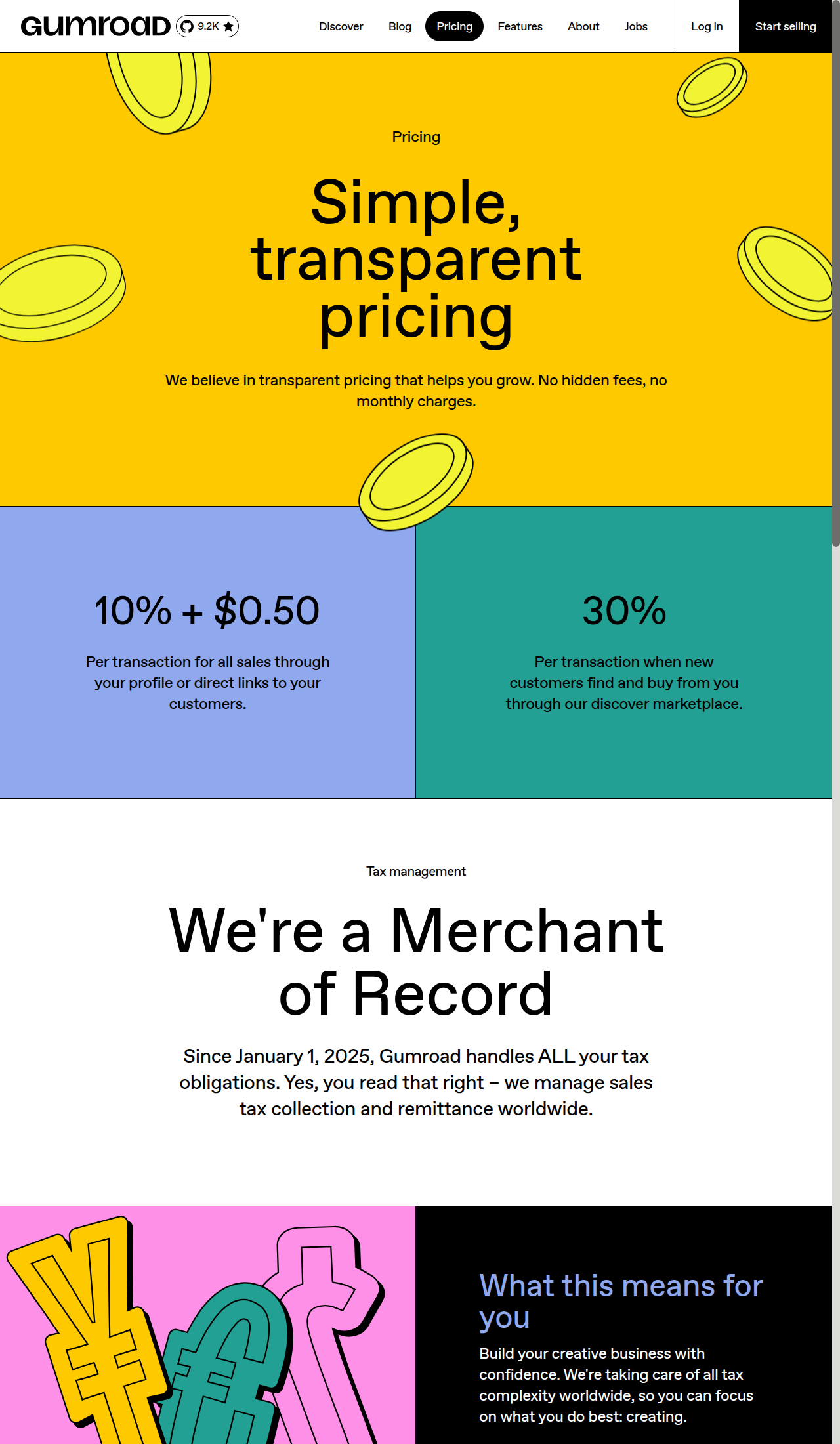
- 10% + $0.50 per sale made through your own traffic (direct links, your website, your audience).
- 30% per sale when a customer finds you through Gumroad Discover, the built-in marketplace.
Prices accurate as of June 2026; check Gumroad’s site for current rates.
Since January 2025, Gumroad acts as the Merchant of Record (MoR), meaning the 10% fee includes payment processing and global sales tax handling. Sellfy’s 0% fee does NOT include payment processing — you still pay Stripe or PayPal their standard ~2.9% + $0.30 per transaction.
The Break-Even Point: $220/mo
Here is the math that determines which platform is cheaper:
- At $220/month in sales: Gumroad takes $22 (10%). Sellfy costs $22 (flat). Break even.
- At $1,000/month ($12K/yr): Gumroad takes $100 (10%). Sellfy Starter costs $22/mo but caps at $10K/yr, so you need Business at $59/mo. You save roughly $41/month vs Gumroad.
- At $5,000/month ($60K/yr): Gumroad takes $500 (10%). Sellfy Premium costs $119/mo (Business caps at $50K). You save roughly $381/month vs Gumroad.
- At $16,666/month ($200K/yr, Sellfy’s max plan): Gumroad takes $1,667 (10%). Sellfy Premium costs $119. You save roughly $1,548/month.
The bottom line: If you sell more than $220/month, Sellfy’s flat fee saves you money. Below that, Gumroad’s free-to-start model wins on cost.
Where Sellfy Wins
0% Transaction Fees Keep Your Margins
This is Sellfy’s core pitch. You pay a fixed monthly subscription and keep 100% of your revenue (minus standard payment processor fees). As the break-even math shows, this saves serious money once you pass $220/mo. A creator doing $5,000/mo on Gumroad is paying $500 in platform fees; on Sellfy Premium, they pay $119 flat.
A Real Branded Storefront (and Built-in POD)
Sellfy gives you a drag-and-drop store builder with pre-made themes, a custom domain, and a proper shopping cart. It feels like a real online store, not just a checkout page. Gumroad’s customization is limited to changing colors, adding custom CSS, and a custom domain — there is no store builder, no themes, no drag-and-drop.
Sellfy also includes built-in print-on-demand (POD) fulfillment through SPOD, with 11 global fulfillment centers. You can design and sell t-shirts, hoodies, mugs, and other physical merch without managing inventory or shipping. Gumroad does not support physical products or POD at all. (Curious how Sellfy’s storefront stacks up against full ecommerce platforms? See our Sellfy vs WooCommerce vs Shopify vs Wix comparison.)
Instant Payouts and PayPal Support
Sellfy pays you instantly through Stripe or PayPal — money lands in your account right after a sale. Gumroad batches payouts and processes them weekly (typically Fridays), meaning you wait for your money. Both platforms support PayPal, but Gumroad’s availability varies by country, while Sellfy offers PayPal and Stripe payouts globally.
Built-in Marketing Tools
Sellfy bundles email marketing (2,000 to 50,000 free credits/month depending on plan), discount codes, upselling, cart abandonment recovery, and an affiliate program for your store (Business+). Gumroad offers email workflows and discount codes, but lacks upselling, cart abandonment, and a seller-side affiliate program.
Where Sellfy Loses
- No free plan for selling. The 14-day trial lets you build but not sell. You commit to a paid plan before making your first dollar, which is a real barrier for someone testing an idea with zero budget.
- Revenue caps. Hitting $10K/yr on Starter forces an upgrade. Hitting $50K/yr on Business forces another. Selling over $200K/yr requires a custom plan. Gumroad has no caps, no forced upgrades.
- No built-in marketplace. Sellfy has no discovery engine. If you have no audience and no traffic strategy, Sellfy does nothing to help people find your products. You must bring your own traffic.
- You handle sales tax. Sellfy has VAT settings, but you are responsible for tax compliance. Gumroad handles every tax obligation globally as MoR.
- Sellfy branding on Starter plan. To remove “Sellfy” from your store, you need Business or higher.
Where Gumroad Wins
Zero Upfront Cost
Gumroad has no monthly fee, no credit card required, and no revenue caps. You upload a product, set a price, and start selling immediately. If you make no sales, you pay nothing. This makes Gumroad the best launchpad for creators who are testing product ideas or have no existing audience.
Gumroad Discover: The Built-in Marketplace
Gumroad Discover is a public marketplace where customers browse and buy products from creators across the platform. When someone finds your product through Discover and buys, Gumroad takes a 30% cut instead of the usual 10%. That is steep, but it is found money — revenue you would not have gotten otherwise.
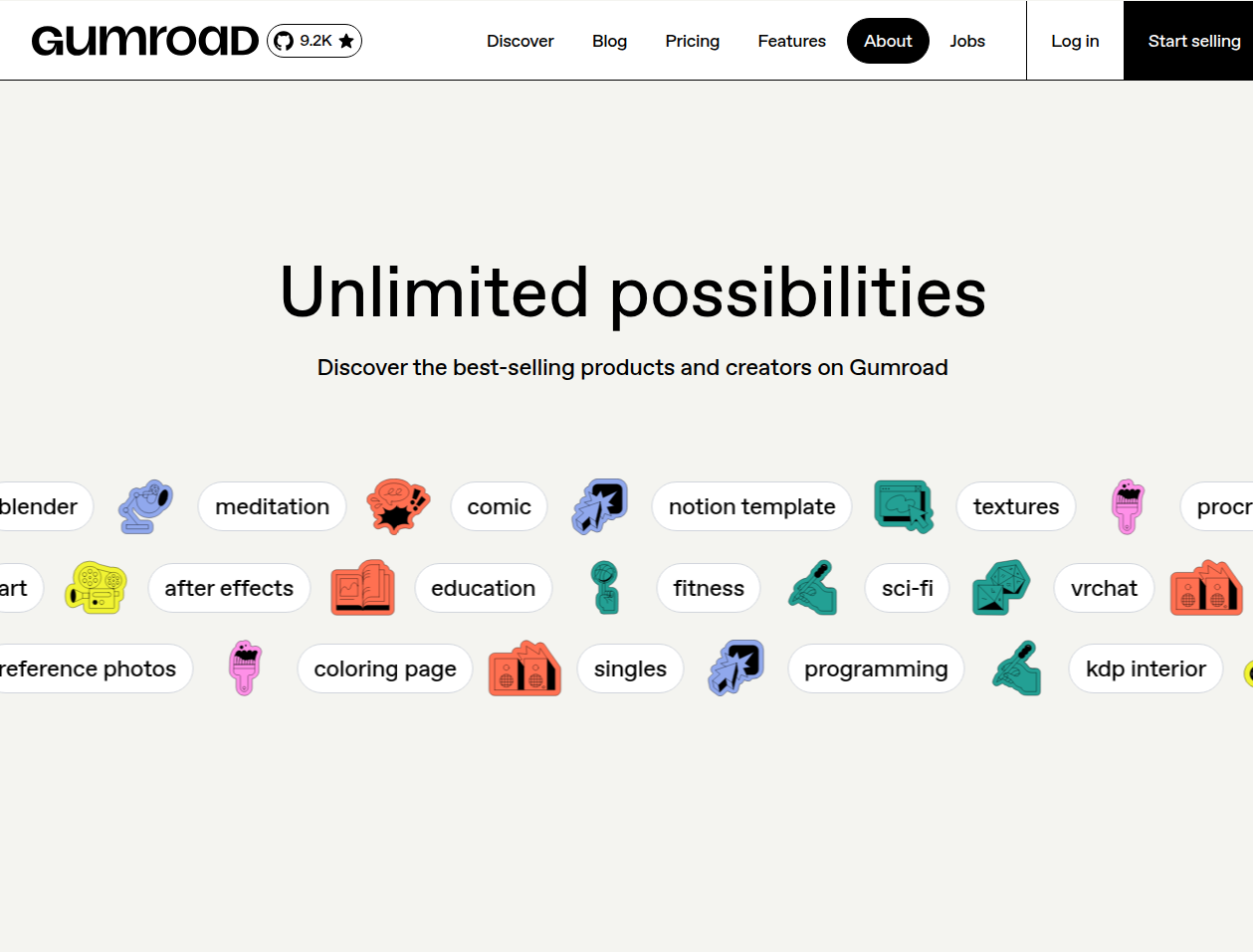
For a creator with zero following, Discover can generate your first sales. For a creator with their own traffic, Discover is mostly irrelevant and the 30% cut makes it unappealing.
Merchant of Record (MoR)
Since January 1, 2025, Gumroad handles all sales tax collection and remittance worldwide. You never touch VAT, GST, or any other indirect tax settings. Gumroad collects the tax from the buyer, files the returns, and remits to the relevant tax authorities. You simply receive your net revenue.
Sellfy does not act as MoR. You must configure tax settings yourself and handle your own tax obligations. For creators who dread tax compliance, Gumroad’s MoR status is a genuine advantage.
Strong Creator Brand and Trust
Gumroad is widely known in the creator economy. Notable creators like Daniel Vassallo and Steph Smith use it, and the brand carries trust with buyers. When someone lands on a Gumroad checkout page, they recognize it and know their payment will work. Sellfy has less brand recognition with buyers, though this matters less if you are driving traffic to your own domain.
Where Gumroad Loses
- The 10% fee destroys margins at scale. At $500/mo, you pay $50. At $5,000/mo, you pay $500. At any meaningful revenue level, Gumroad is far more expensive than Sellfy’s fixed subscription.
- Limited payout methods by country. Gumroad supports bank transfers and PayPal, but payout method availability varies by country. In regions where neither is available, creators are locked out. And regardless of method, payouts are batched weekly — you wait for your money.
- No real store customization. There is no store builder, no themes, no drag-and-drop. You can change colors and add custom CSS, but you cannot build a branded storefront that looks and feels like your own site.
- No physical products or print-on-demand. Digital products only. If you want to sell merch, physical goods, or POD items, Gumroad cannot help you.
- Slow customer support. Multiple user reviews cite 24+ hour response times and unhelpful answers. Sellfy offers 24/7 email support on all plans.
- No upselling, cart abandonment, or affiliate tools for sellers. Gumroad has an affiliate discovery feature for buyers to find products to promote, but not a seller-side affiliate program to recruit your own promoters.
- Batched payouts, not instant. Payouts process weekly, typically on Fridays. You cannot access your money immediately after a sale.
Key Dealbreakers
Gumroad’s Payout Speed and Availability
Gumroad pays creators on a weekly schedule (typically Fridays), not instantly. Even Gumroad’s own marketing confirms this — creator Daniel Vassallo’s testimonial on the features page reads, “The money I make from my sales lands directly in my bank account every Friday.”
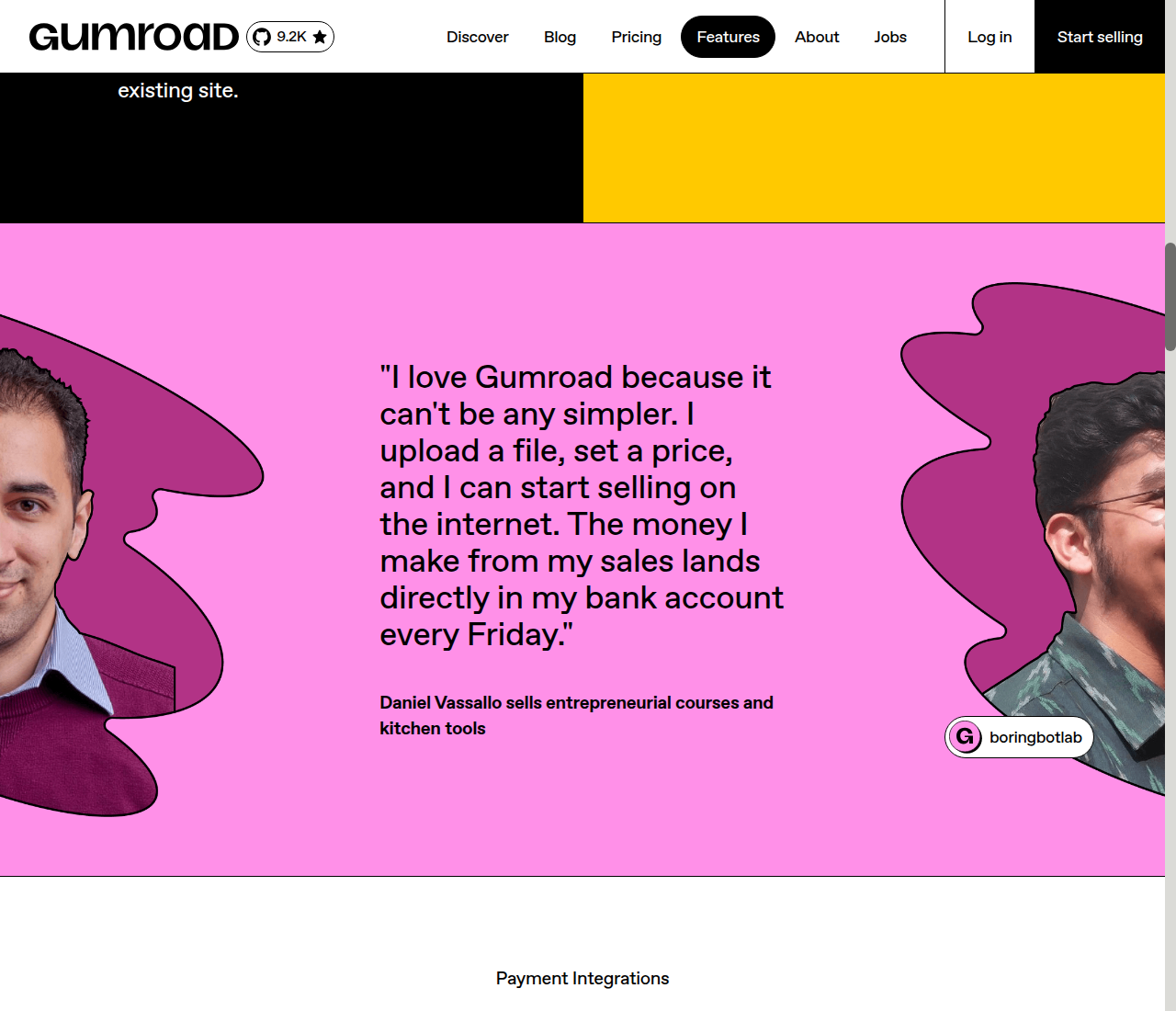
Sellfy sends money to your PayPal or Stripe account immediately after each sale. For creators who need fast access to funds, this is a meaningful difference. Additionally, while Gumroad supports both bank transfers and PayPal for payouts, availability varies by country — access is not universal.
Sellfy’s Revenue Caps
Sellfy’s annual sales caps on each plan ($10K Starter, $50K Business, $200K Premium) mean you will be forced to upgrade as you grow. For a creator whose revenue fluctuates, hitting a cap mid-year and being forced to upgrade or pay 2% overage can be annoying. Gumroad has zero caps.
The Scale Math
At $5,000/mo, Gumroad takes roughly $500 in fees while Sellfy Premium costs $119. That is a $381/month difference — nearly $4,600 per year. If you are making real money from digital products, staying on Gumroad is burning cash. The fee structure creates a clear incentive to switch to Sellfy once your revenue is stable and growing.
Bottom Line: Who Should Pick What
Pick Gumroad if:
- You are brand new, testing an idea, and have zero audience.
- You sell less than $220/month and the 10% fee is cheaper than a monthly subscription.
- You want the passive discovery traffic from Gumroad Discover.
- You want Gumroad to handle all global tax compliance as Merchant of Record.
- You sell only digital products and do not need a full storefront.
Pick Sellfy if:
- You make $220+/month and the flat fee saves you money.
- You want a real branded storefront with themes, custom domain, and a proper cart.
- You sell physical products or want built-in print-on-demand.
- You want instant payouts (Sellfy sends money immediately after each sale).
- You need built-in marketing tools (upsells, cart abandonment, affiliate program).
- You are tired of losing 10% of every sale and want to keep your margins.
Start your free Sellfy trial →
Also consider:
- Payhip if you want a middle ground: lower fees than Gumroad (5% on free plan, 2% + $29/mo on Plus) with more features like a course builder and affiliate program, but weaker brand recognition.
- Lemon Squeezy if you sell software and need Merchant of Record + license key management at 5% + $0.50 per transaction.
The honest truth: If you are making real money, Gumroad’s 10% fee is a tax on your success. Sellfy’s flat fee structure rewards growth. But if you are starting from zero with no audience, Gumroad’s free entry and built-in marketplace give you a launchpad that Sellfy cannot match. The smart move is often to start on Gumroad and switch to Sellfy once your monthly revenue clears the break-even line.
See all our tool comparisons and tutorials →