NordPass vs Bitwarden: Which Password Manager Wins in 2026?
Bottom line: Bitwarden is the right pick for tech-savvy users, anyone who wants a genuinely unlimited free tier, and teams that need self-hosting. NordPass wins for non-technical users who want a modern interface, businesses that want easy password policy enforcement, and anyone already using NordVPN. Both are excellent password managers with zero-knowledge encryption, but they serve different kinds of buyers. This comparison breaks down exactly where each one wins — and where each falls short.
Affiliate disclosure: This post contains affiliate links. If you purchase through our NordPass links, we may earn a commission at no extra cost to you. Bitwarden links are not affiliate links. Full disclosure here.
The Verdict, in One Table
| NordPass | Bitwarden | |
|---|---|---|
| Free tier limit | 1 device | Unlimited devices |
| Personal paid price | €1.99/mo (Premium, annual intro), €2.99/mo standard | $1.65/mo (Premium) |
| Family price | €3.69/mo (annual intro), €5.99/mo standard, 6 users | $3.99/mo (6 users) |
| Business price | €1.99-€5.99/user/mo (Teams/Business/Enterprise) | $6/user/mo (Enterprise) |
| Encryption | XChaCha20-Poly1305 | AES-256 |
| Open source | No | Yes (AGPL v3.0) |
| Self-hosting | No | Yes |
| Built-in email masking | Yes | No (third-party integration) |
| Built-in authenticator | Yes (all business plans) | Premium only ($1.65/mo) |
| Secrets Manager / CLI | No | Yes |
| Send (share with non-users) | No | Yes |
| Free Families for Enterprise | No | Yes |
| Best for | Non-technical users, businesses wanting easy policies, NordVPN bundle buyers | Tech-savvy users, open-source advocates, teams needing self-hosting, budget-conscious buyers |
Prices accurate as of June 2026; check vendor sites for current rates.
Free Tier: The Single Biggest Difference
This is where the comparison gets asymmetric fast. The free tier determines what kind of tool each company wants to be.
Bitwarden Free: Unlimited Passwords, Unlimited Devices
Bitwarden’s free tier is genuinely unlimited. You get unlimited passwords on unlimited devices, passkey management, password generator and autofill, data breach scanning, two-factor authentication, and the ability to share with one other user. There’s no device-counting, no feature-gating on core password management — you can use Bitwarden on your phone, laptop, desktop, and tablet simultaneously.
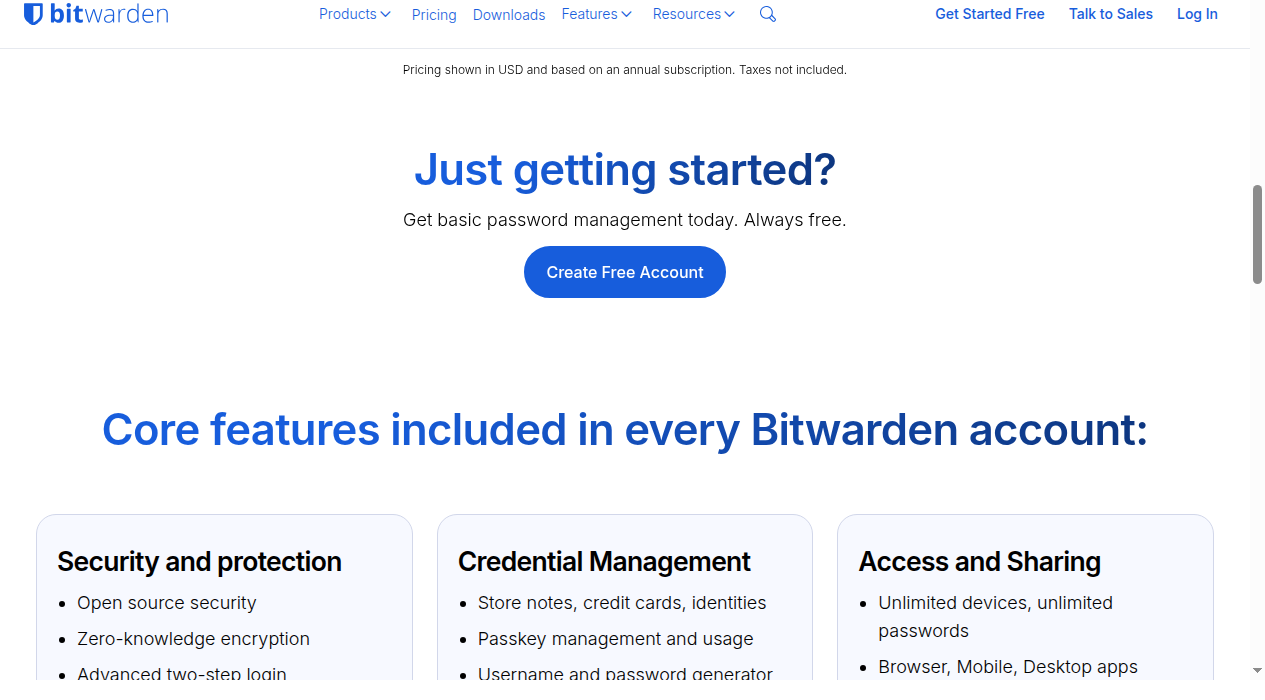
The free tier also includes Bitwarden Send (text-based sharing), email alias integration with third-party services (SimpleLogin, AnonAddy, etc.), and a full open-source codebase anyone can inspect.
NordPass Free: One Device, Period
NordPass Free gives you core autofill and password storage, but only on a single device. You cannot use NordPass Free on your phone and laptop at the same time — logging in on a new device logs you out on the old one.
This is a severe limitation. If you’re a free-tier user who needs to access passwords on both a computer and a phone, NordPass Free simply doesn’t work. Bitwarden Free handles this by default.
NordPass Free does include Password Health and Data Breach Scanner, which Bitwarden gates behind Premium. But the one-device limit makes these features hard to use — you’ll get breach alerts on your computer but can’t see them on your phone.
Winner: Bitwarden, decisively. NordPass’s single-device limit makes its free tier a trial, not a daily driver.
Personal Paid Plans: Features vs Price
NordPass Premium & Family
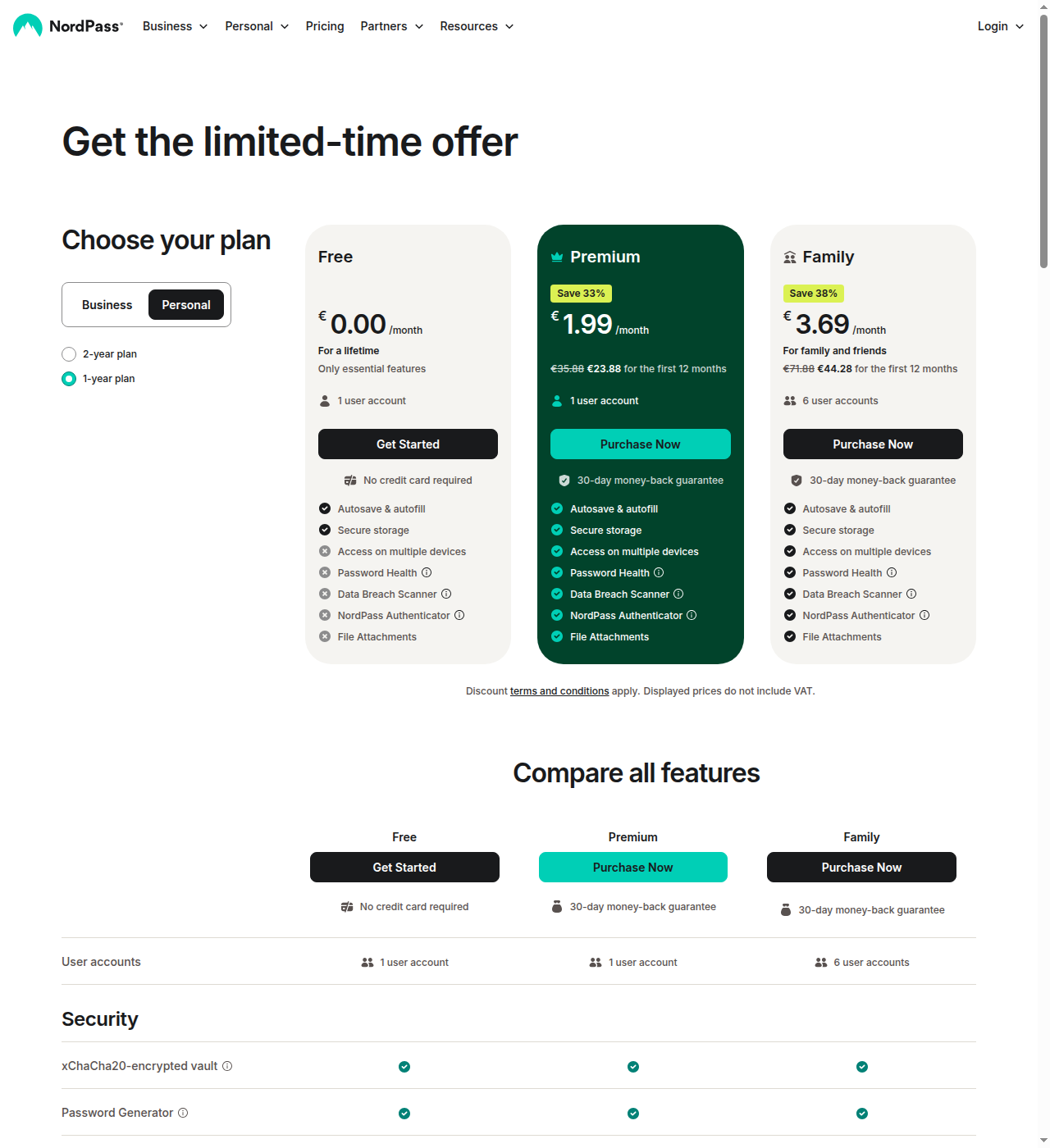
NordPass Premium unlocks the real product: unlimited devices, Password Health, Data Breach Scanner, secure sharing, emergency access, file attachments (3GB), and the built-in email masking feature. The Family plan gives 6 Premium accounts.
Pricing is €1.99/mo for the first 12 months (33% off) on the 1-year plan, renewing at the standard €2.99/mo, billed annually. NordPass runs frequent first-year discounts that bring the effective price down initially, but the renewal price is higher.
NordPass Premium’s standouts:
- Email Masking: Built-in disposable email generation. When you sign up for a service, NordPass can create a masked email that forwards to your real inbox. Bitwarden requires a third-party integration for this.
- XChaCha20 encryption: The only major password manager using this modern stream cipher. It’s faster on mobile/ARM devices and resistant to certain timing attacks. Bitwarden uses AES-256, which is also secure but technically older.
Bitwarden Premium & Families
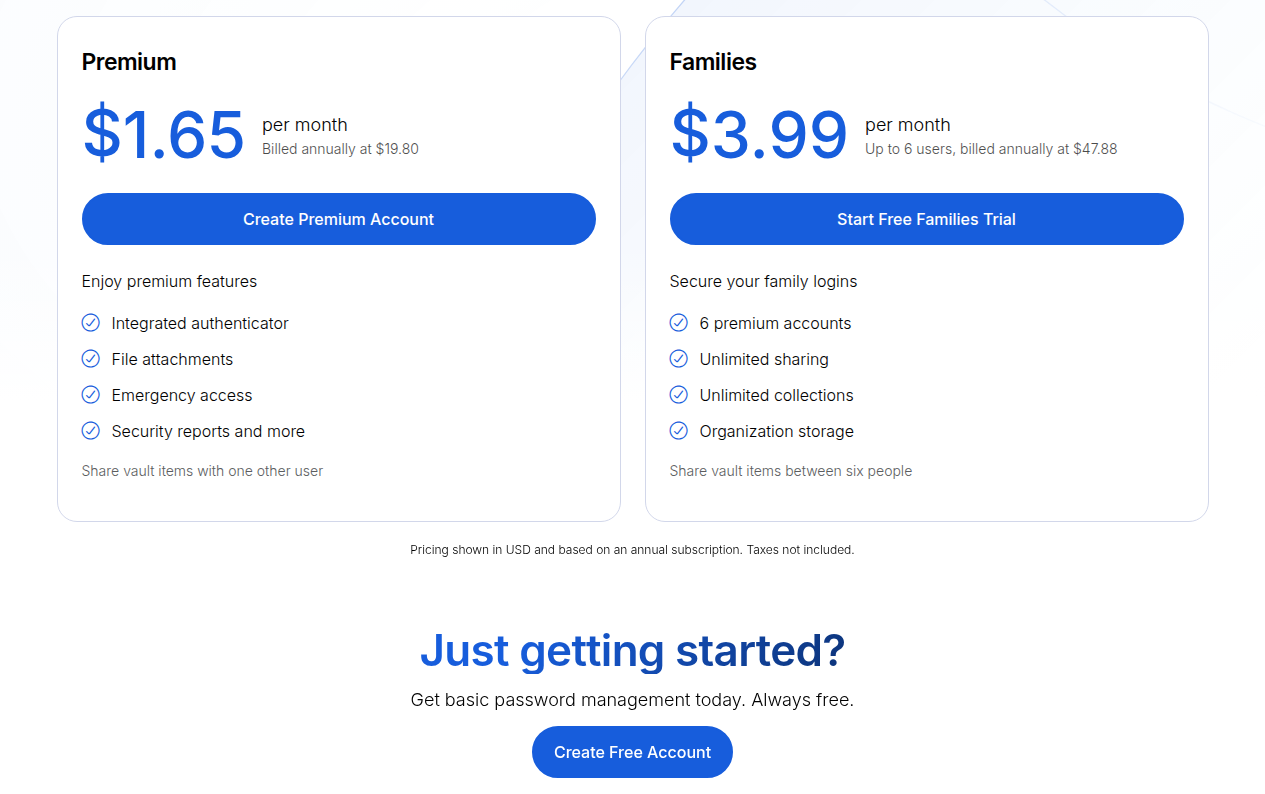
Bitwarden Premium is $1.65/mo ($19.80/yr). It adds: integrated TOTP authenticator, 5GB encrypted file storage, vault health reports, emergency access, priority support, and a phishing blocker. The Families plan is $3.99/mo for 6 users.
Bitwarden Premium’s standouts:
- Price: At $1.65/mo, it’s the cheapest premium password manager from a major vendor. NordPass Premium’s standard renewal price (€2.99/mo) runs noticeably higher.
- Bitwarden Send: Share encrypted text or files with anyone — even non-Bitwarden users — via expiring links. NordPass has no equivalent.
- Integrated TOTP + standalone Authenticator app: TOTP codes in the vault plus a separate authenticator app that syncs. NordPass has a built-in authenticator but it’s gated to business plans only (not available on Premium).
| Feature | NordPass Premium | Bitwarden Premium |
|---|---|---|
| Monthly price (annual) | €2.99/mo (€1.99/mo intro) | $1.65/mo |
| File storage | 3GB | 5GB (expandable) |
| Email masking | Built-in | Third-party integration |
| TOTP authenticator | Business only | Included |
| Emergency access | Yes | Yes |
| Share with non-users | No | Yes (Send) |
| Vault health reports | Yes | Yes |
Business Plans: Admin Controls vs Developer Ecosystem
NordPass Business: Clean Admin Experience
NordPass’s business plans are built around making life easy for IT admins:
- Teams (€1.99/user/mo, 20% off, 10-user pack): Password sharing, MFA, Google Workspace SSO, Activity Log, Password Policy, Item Transfer
- Business (€3.99/user/mo, 33% off, 5-user minimum): Adds Shared Folders, Password Health, Data Breach Scanner, Vanta integration
- Enterprise (€5.99/user/mo, 25% off, 5-user minimum): Adds Sharing Hub, SSO with Entra ID / MS ADFS / Okta, SCIM provisioning, Splunk & MS Sentinel SIEM integrations, Activity Log API
NordPass’s admin advantages:
- Password Policy: Set minimum length and update frequency requirements centrally. Enforced across the organization. Bitwarden has enterprise policies but password composition rules are less granular.
- Sharing Hub (Enterprise): A centralized dashboard showing all shared credential activity. See who shared what, with whom, at what access level. Bitwarden has no single-pane equivalent.
- Item Transfer: Reassign credentials from departing employees without data loss. Built for organizational ownership of data.
- Built-in authenticator on ALL business plans: No extra cost for TOTP. Bitwarden includes TOTP in Premium but it’s per-user.
Bitwarden Business: Developer-First, Self-Hosted
Bitwarden’s business pricing is straightforward:
- Teams: $4/user/mo — secure sharing, event logs, directory sync, SCIM
- Enterprise: $6/user/mo — adds self-hosting, passwordless SSO, account recovery, Access Intelligence, free Families for all users
Bitwarden’s business advantages:
- Self-hosting: Deploy on your own infrastructure (Docker, Linux, Windows). Critical for regulated industries, air-gapped environments, and data sovereignty requirements. NordPass cannot be self-hosted.
- Free Families for Enterprise users: Every Enterprise user gets a free Families plan ($48/yr value). NordPass doesn’t offer this.
- Secrets Manager: A separate product for DevOps teams to manage API keys, certificates, and machine secrets. NordPass has no developer/infra tooling.
- Access Intelligence: New risk remediation feature that detects anomalous access patterns. Flags potentially compromised credentials.
- Deeper integrations: 8+ native SIEM integrations (Splunk, Elastic, MS Sentinel, Sumo Logic), 18+ SSO provider guides. CLI, API, SSH agent, and Passwordless.dev SDK.
| Business Feature | NordPass | Bitwarden |
|---|---|---|
| Password policy enforcement | Yes, granular | Yes, less granular |
| Sharing dashboard | Yes (Sharing Hub) | No |
| Self-hosting | No | Yes |
| Free Families for Enterprise | No | Yes |
| Secrets Manager / CLI | No | Yes |
| Built-in TOTP (business) | All plans | Premium feature |
| Item/credential transfer | Yes | Yes |
| SSO integrations | Google + Entra/Okta (Enterprise) | 18+ providers |
| SIEM integrations | Splunk + MS Sentinel (Enterprise) | 8+ native |
| SCIM provisioning | Enterprise | Teams+ |
Security: XChaCha20 vs AES-256 — Does It Matter?
NordPass: XChaCha20
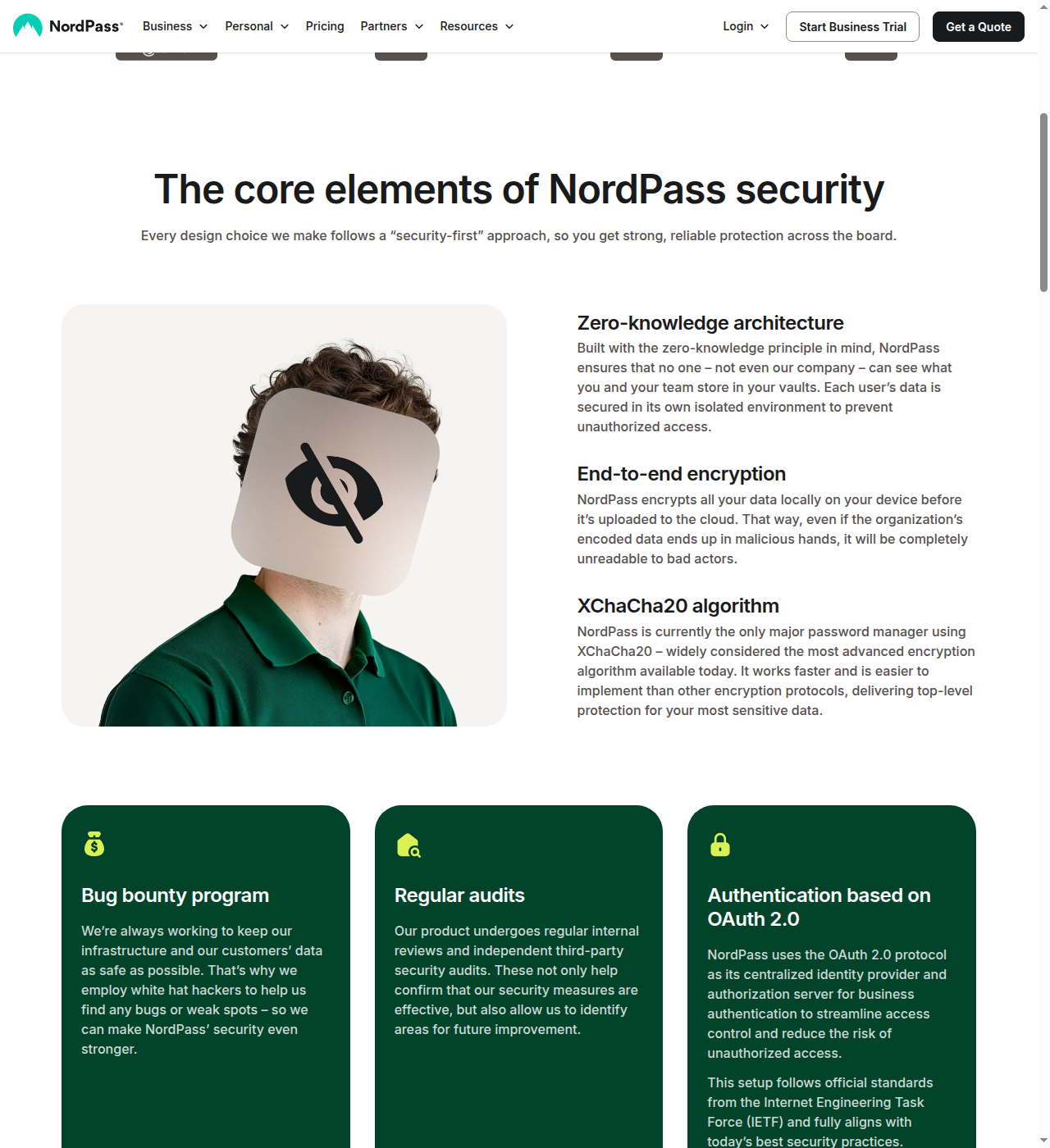
NordPass is the only major password manager using XChaCha20 encryption, a modern stream cipher. The full security setup:
- Symmetric encryption: XChaCha20-Poly1305-IETF for vault contents
- Asymmetric encryption: X25519 + XSalsa20 for key exchange
- Key derivation: Argon2id + 16-byte salt
- Architecture: Zero-knowledge, data encrypted locally before cloud upload
- Audits: Audited by Cure53
- Certifications: ISO 27001, SOC 2 Type 2, HIPAA, GDPR
- Hosting: AWS (US/EU data centers)
XChaCha20 is faster on mobile ARM processors and more resistant to certain timing side-channel attacks than AES. It’s also simpler to implement correctly, which reduces the chance of implementation bugs. Google uses ChaCha20 internally for TLS.
Bitwarden: AES-256
Bitwarden uses AES-256, the industry-standard block cipher:
- Encryption: AES-256-CBC
- Architecture: Zero-knowledge, data encrypted/decrypted locally
- Audits: Extensively audited — Cure53 (2018, 2021, 2022, multiple 2023 audits, 2024 mobile), Insight Risk Consulting (2020, 2021), IOActive (2024), Mandiant (2024), Fracture Labs (2024, 2025), Unit 42/Palo Alto Networks (2025), ETH Zurich (2025 cryptography), Paragon Initiative (2024)
- Certifications: ISO 27001, SOC 2 Type 2, SOC 3, HIPAA, GDPR, CCPA, DPF
- Hosting: Microsoft Azure
The honest answer on encryption: Both XChaCha20 and AES-256 are considered secure against all known practical attacks. The difference matters more on paper than in practice. XChaCha20 has theoretical advantages (side-channel resistance, ARM performance), but no real-world attack has ever broken a properly implemented AES-256 password vault. Bitwarden’s audit record is vastly more extensive, which is arguably more important than the cipher choice.
Where NordPass Loses
- Proprietary, not open source: You can’t inspect the code. If you’re a security professional who needs to verify claims, Bitwarden’s AGPL-licensed code on GitHub is a trust signal NordPass can’t match.
- No self-hosting: If your organization requires on-premises deployment, NordPass is not an option.
- Free tier is single-device only: This is the dealbreaker for non-paying users.
- Fewer third-party audits: One Cure53 audit vs Bitwarden’s roster of 7+ audit firms across multiple years.
- No CLI or API: No developer or DevOps tooling. Bitwarden has a full CLI, API, SSH agent, and Secrets Manager.
- No Send equivalent: Cannot share passwords or files with non-NordPass users via expiring links.
- Pricing opacity: JS-rendered prices that show “Loading” until JavaScript executes. A minor trust signal issue.
- No free Families for Enterprise users: Bitwarden gives every Enterprise user a free $48/yr Families plan.
- Browser extension polish: Multiple reviewers note Bitwarden’s extension is more refined, particularly for autofill accuracy.
Where Bitwarden Loses
- UI is dated: CNET, PCMag, and Tom’s Guide all note the interface feels utilitarian. NordPass has a cleaner, more modern design that non-technical users find easier.
- No built-in email masking: Requires third-party integration (SimpleLogin, AnonAddy). NordPass has this built natively.
- No built-in password policy for business: Enterprise policies exist but password composition rules are less granular than NordPass’s dedicated Password Policy.
- No Sharing Hub equivalent: No centralized dashboard showing who shared what across the organization.
- Free tier lacks proactive security: No vault health reports, no emergency access, no integrated TOTP, no file attachments on Free. NordPass Free includes Password Health and Data Breach Scanner (though the one-device limit undermines them).
- No ecosystem bundling: Standalone product. NordPass bundles with NordVPN, NordLocker, and other Nord Security products.
- Premium TOTP gating: Integrated TOTP requires Premium ($1.65/mo). NordPass includes built-in authenticator on all business plans.
Other Competitors You Should Know
If neither NordPass nor Bitwarden feels right, here’s the landscape:
1Password
The premium pick. Best UI/UX in class, Travel Mode, Watchtower breach monitoring, SSH agent. But $2.99/mo individual with no free tier at all. More expensive than both NordPass and Bitwarden. Read our full NordPass vs 1Password comparison for a deeper breakdown.
Dashlane
Large families play (10 users on family plan at $5.83/mo). Built-in VPN (Hotspot Shield). Dark web monitoring with 1M+ credential database. Business pricing: Credential Protection at €4/user/mo and Password Management at €8/user/mo, both billed annually; Enterprise is custom/contact sales. No free tier.
Keeper
Security-first with offline vault access and extensive compliance certifications. Business pricing: Business Starter at $2/user/mo, Business at $4/user/mo, Enterprise at $6/user/mo, all billed annually. Personal: $35/yr individual, $75/yr family. The free plan is nearly useless (1 device, 10 passwords). Encrypted messaging (KeeperChat) and 10GB family storage are unique.
LastPass
The legacy player with the largest user base — but a catastrophic 2022 breach damaged trust. Personal: $3/mo Premium, $4/mo Families. Business pricing: Teams at €4.42/user/mo, Business at €6.50/user/mo, Business Max at €8.50/user/mo, all billed annually. AES encryption, emergency access, country restriction. Despite improvements, the breach history makes it hard to recommend to new users. See our NordPass vs LastPass comparison for more on that trust question.
Proton Pass
Privacy-first, Swiss jurisdiction, open source. Free unlimited passwords. Plus is €2.99/mo, Family is €4.99/mo, and Unlimited (full Proton suite) is €9.99/mo, all billed yearly. Business plans run €1.99/user/mo (Essentials) to €4.49/user/mo (Professional), billed yearly with a 3-user minimum. Newer product (2023 launch), fewer business features, smaller audit history. Best for existing Proton ecosystem users.
The Bottom Line: Who Should Pick What
Pick Bitwarden if:
- You want a free password manager that works on all your devices
- You value open-source code you can inspect
- Your organization needs self-hosting for compliance or data sovereignty
- You’re a developer or DevOps team that wants CLI, API, and Secrets Manager
- You want the cheapest Premium plan available from a major vendor ($1.65/mo)
- You want to share encrypted files with non-users via Bitwarden Send
Pick NordPass if:
- You’re a non-technical user who wants a clean, modern interface
- You want built-in email masking without third-party integrations
- You’re a business that wants easy password policy enforcement and a Sharing Hub
- You already use NordVPN and want to bundle
- You want the XChaCha20 encryption cipher (though AES-256 is equally secure in practice)
- You need built-in TOTP on business plans without paying extra per seat
Bitwarden is wrong for: People who want a polished, modern UI out of the box. Non-technical users who would find the utilitarian interface intimidating. Organizations that want a centralized sharing dashboard and granular password composition policies without setting up self-hosted infrastructure.
NordPass is wrong for: Anyone who needs a free tier that works on multiple devices. Security professionals who demand open-source code verification. Organizations that need self-hosting, CLI/API access, or a Secrets Manager. Budget-conscious individuals (Bitwarden Premium is cheaper).
For more head-to-head breakdowns, see all our password manager comparisons — including NordPass vs 1Password and NordPass vs LastPass.
Prices accurate as of June 2026. Check nordpass.com and bitwarden.com for current rates.